

Connecting and setting up two-factor authentication
To set up two-factor authentication (2FA) on your account, follow these steps:
1. Go to the "Settings" section of your account.
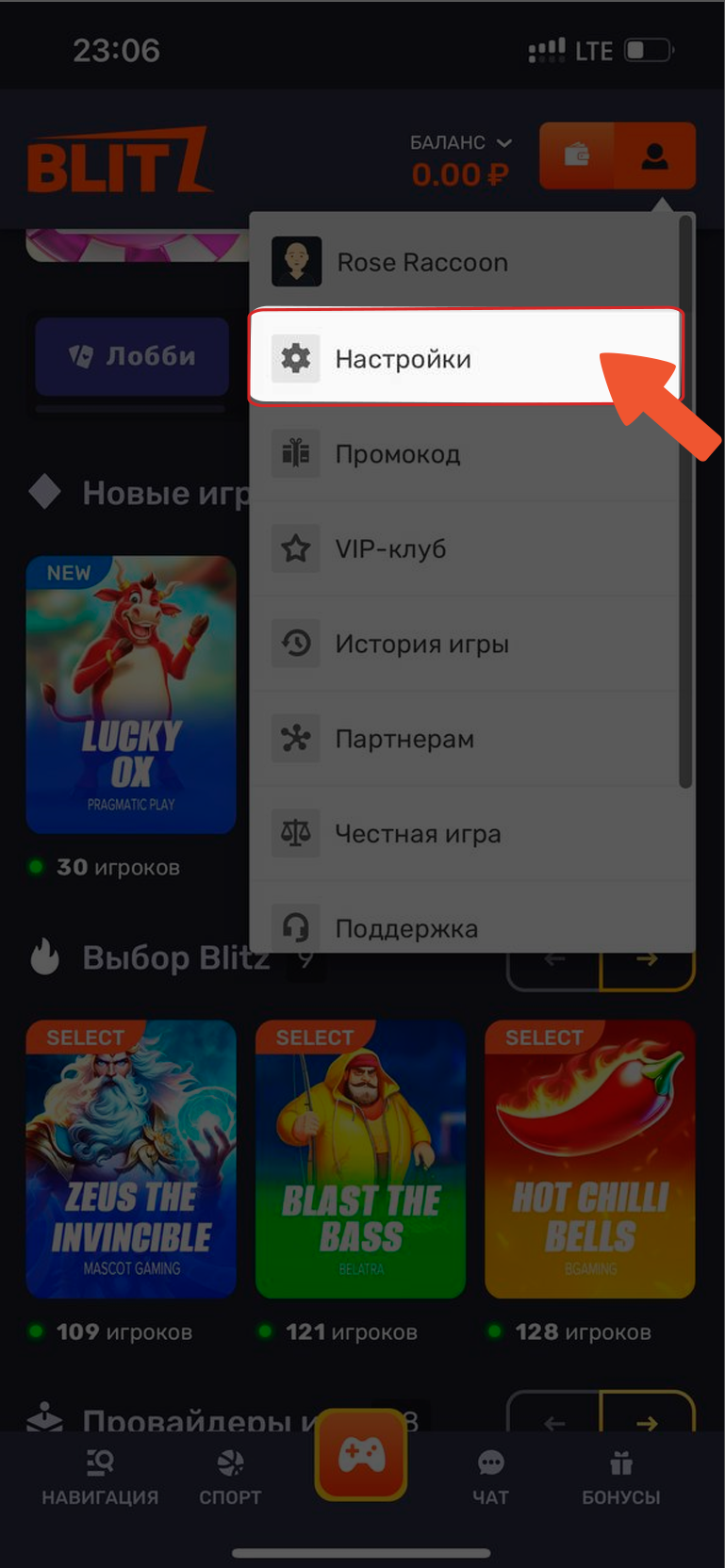
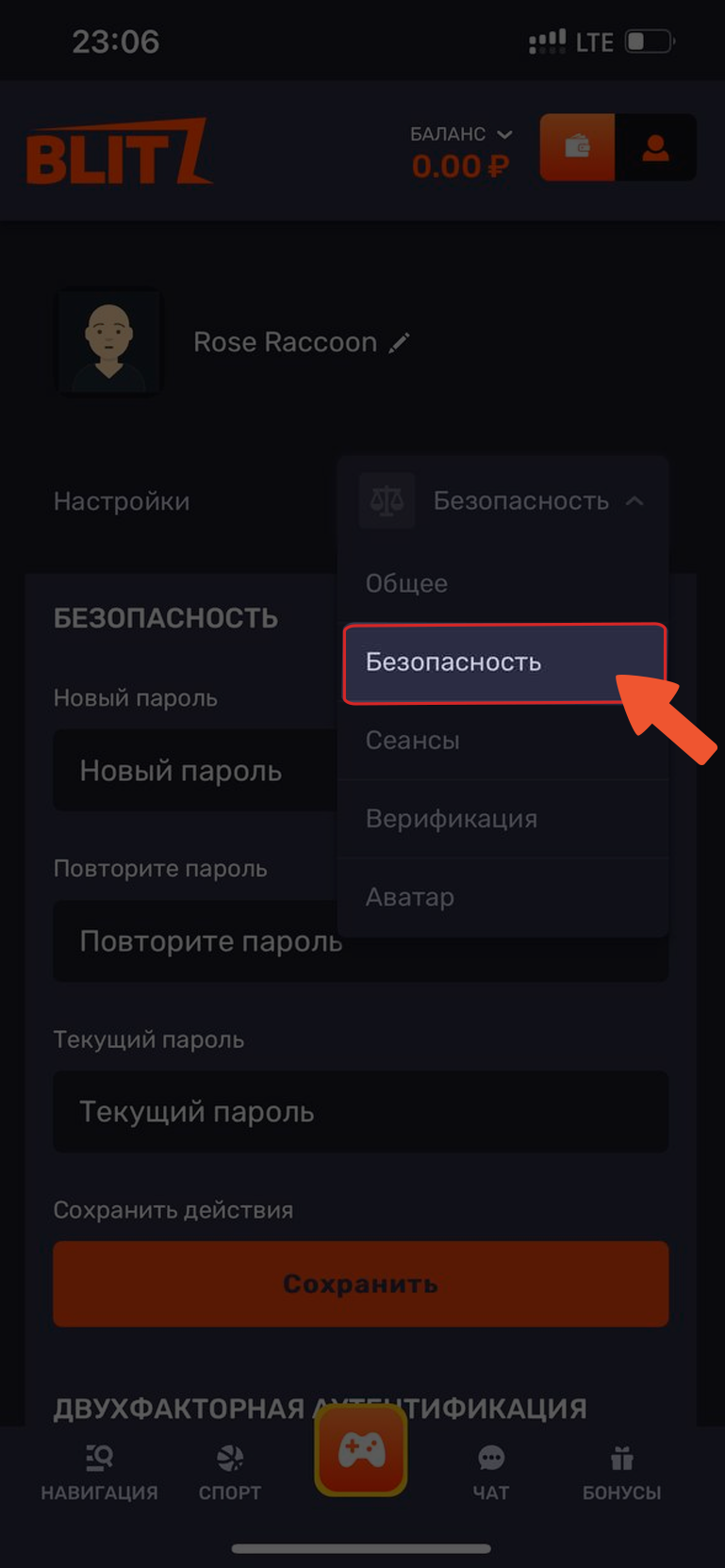
2. Then go to the "Security" tab.
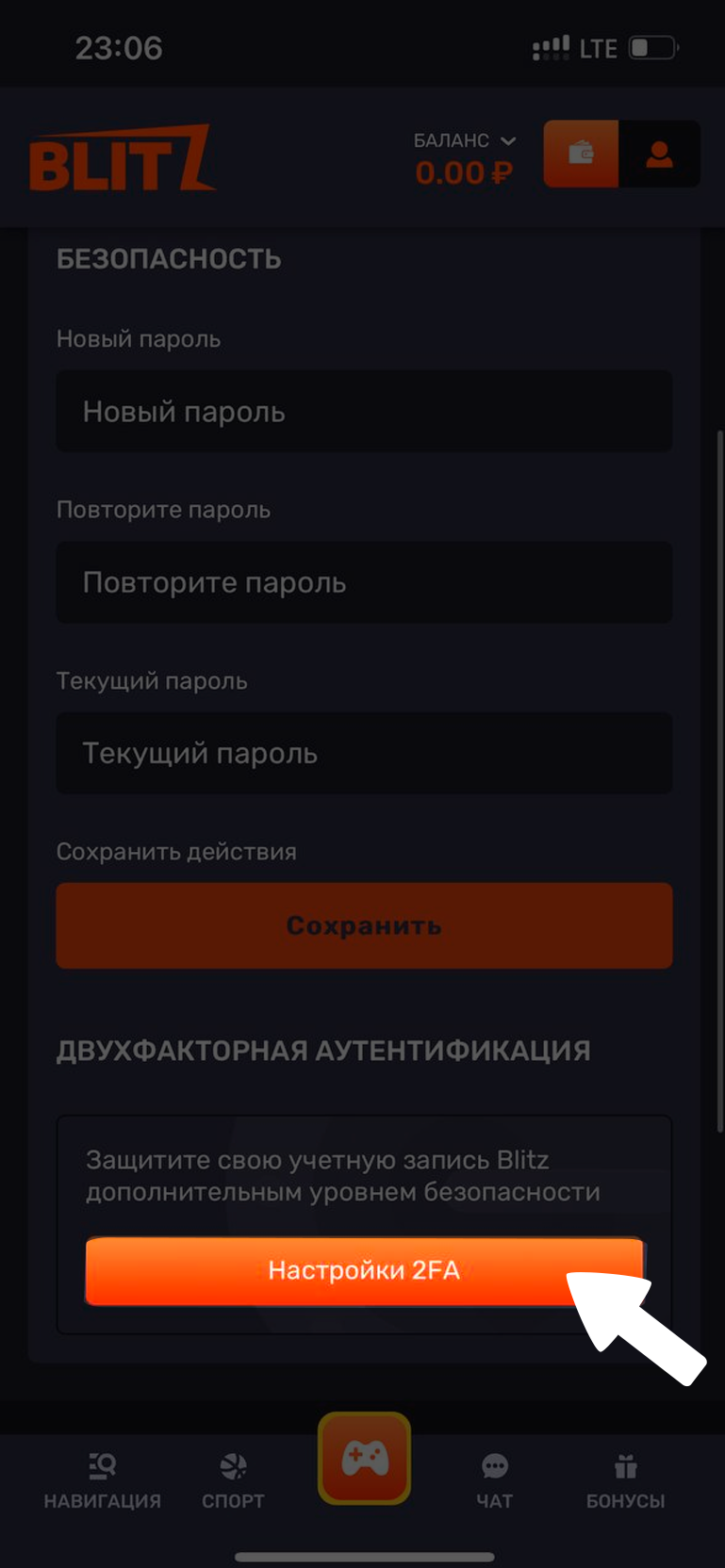
3. Find "Two-factor authentication" and click "2FA settings".
4. You will be provided with detailed instructions on how to enable this feature. Follow the steps provided to activate 2FA successfully.
Disabling two-factor authentication.
To disable two-factor authentication (2FA) on your account, follow these steps:
1. Go to the "Settings" section of your account.
2. Then go to the "Security" tab.
3. Find "Two-factor authentication" and click "2FA settings".
4. Enter your account password and the 6-digit code from your authenticator app.
To re-enable two-factor authentication, repeat the procedure described in the "Connecting and setting up two-factor authentication" section.
If you have forgotten your 2FA login details
Contact our support team and provide the information linked to your account. Our specialists will help you resolve this issue. 🙂
💡 Tip
If you have any questions or need additional information, please don't hesitate to contact our support team.
We're always happy to help!