

🔍Choose your bank (click on the bank you’re interested in to go to the relevant instructions)💰






T-Bank:
1. In your personal account: go to the “Account transactions” tab → find the transaction for which you want to get a receipt → “Transaction statement”.
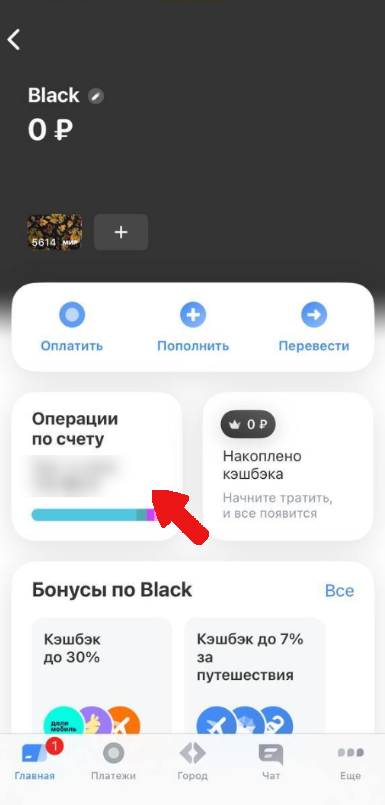
2. In your transaction history, select the payment you’re interested in.
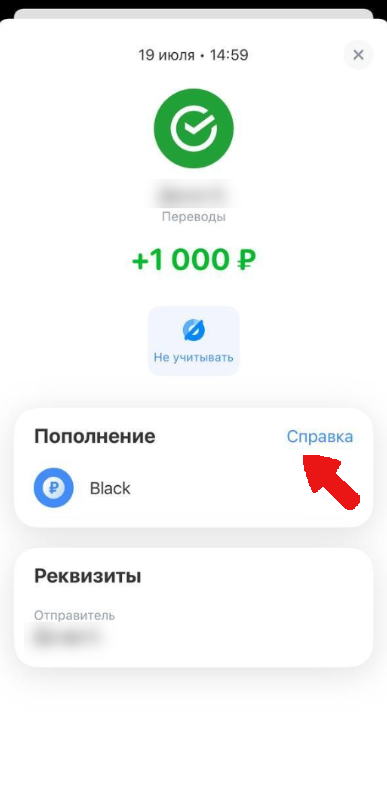
3. Click the “Statement” button. In the window that appears, select “Save or send”.
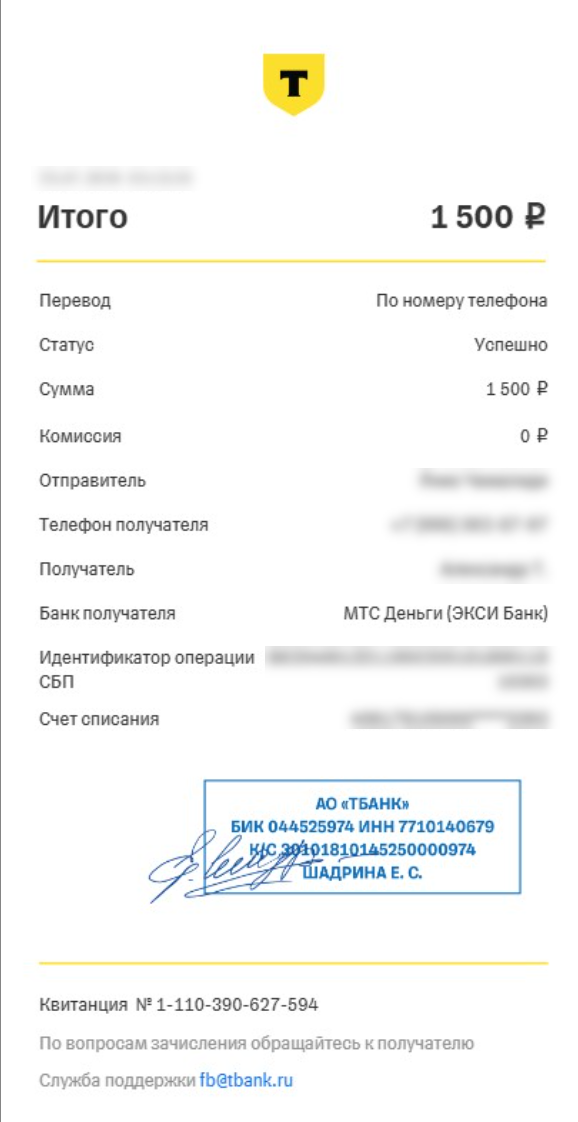
Example of a Tinkoff bank receipt:
Sberbank:
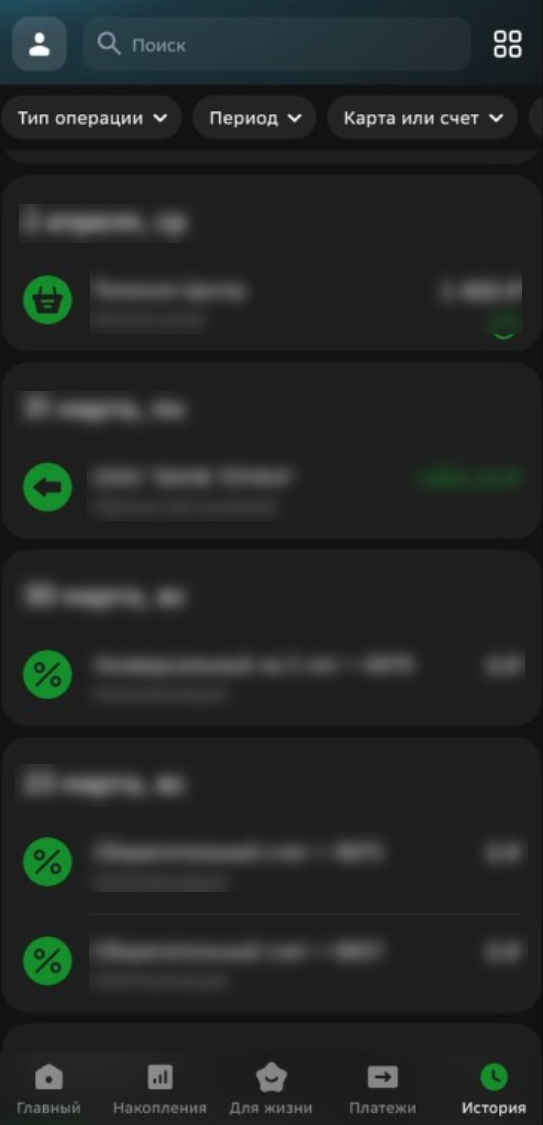
1. In the mobile app, go to the home page and select the card or account you’re interested in.
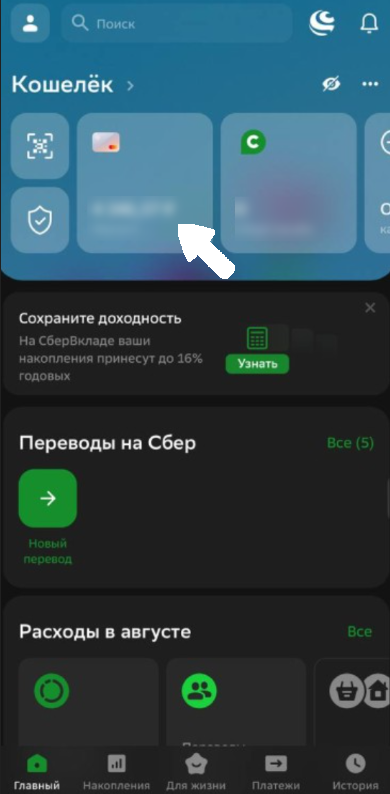
2. A complete list of transactions will open. Find the one you need and select the relevant receipt and tap it.
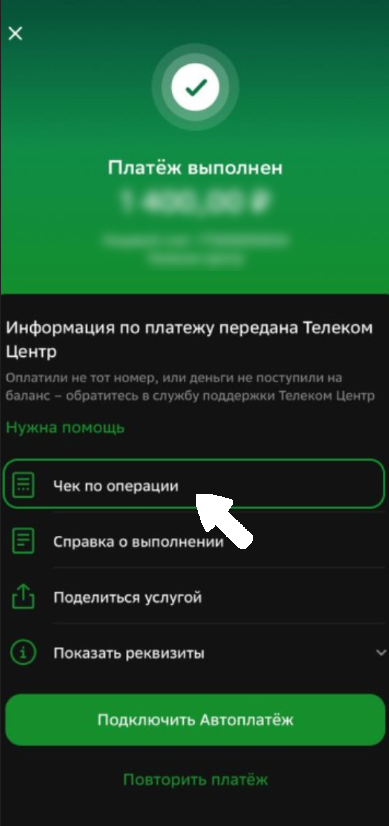
3. In the window that opens, you can view the amount, recipient, and transaction date. Then select the “Transaction receipt”.
Tap “Transaction receipt,” then tap the green “Save or send” button.
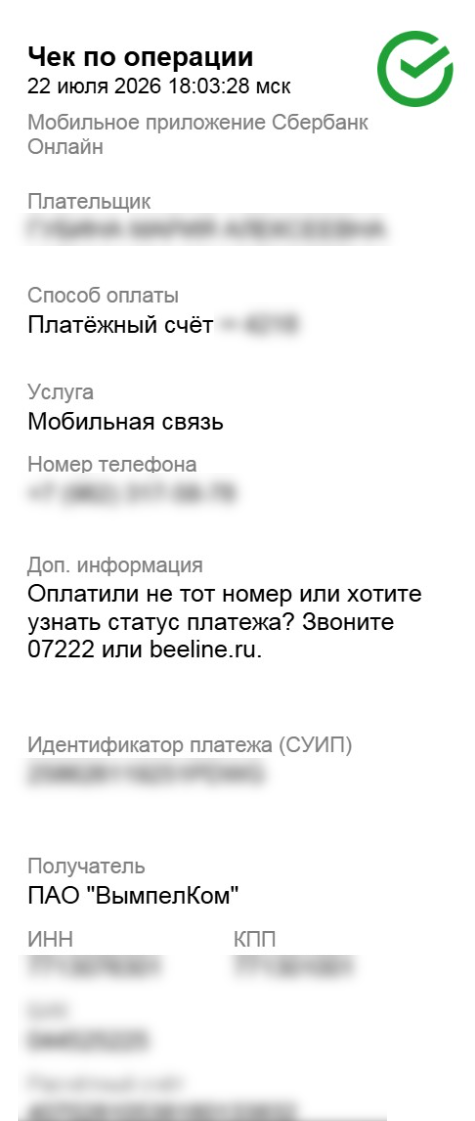
Example of a Sberbank receipt:
Alfa Bank:
1. Select the card/account you’re interested in in the app or on the website, then go to your transaction history.
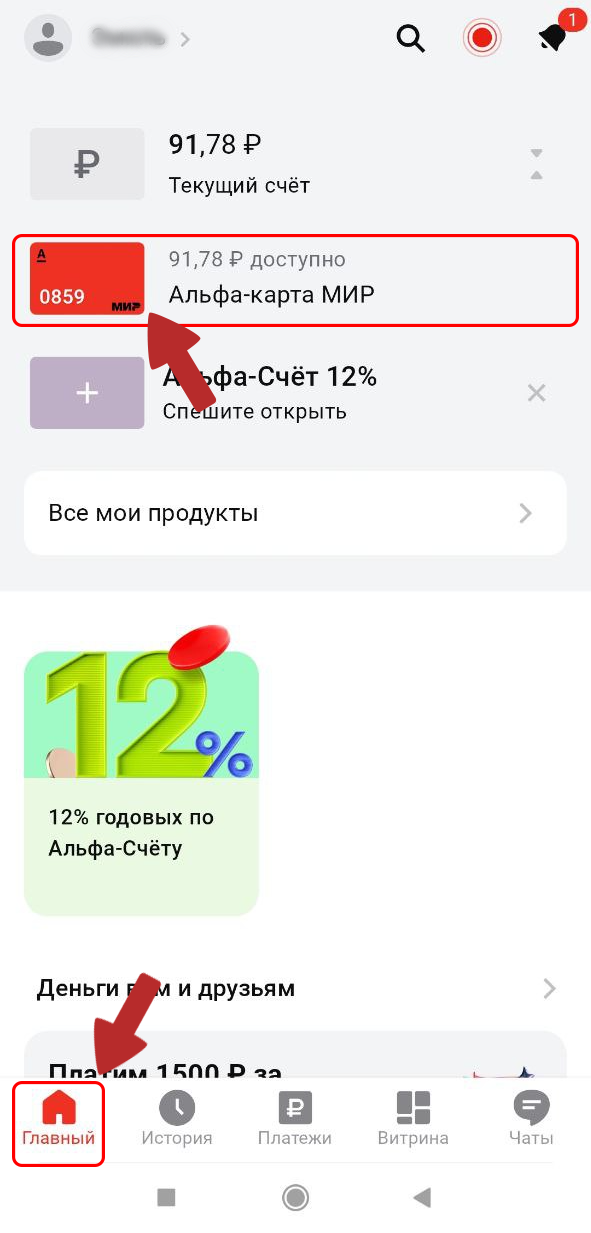
2. In your history, select the transaction you’re interested in.
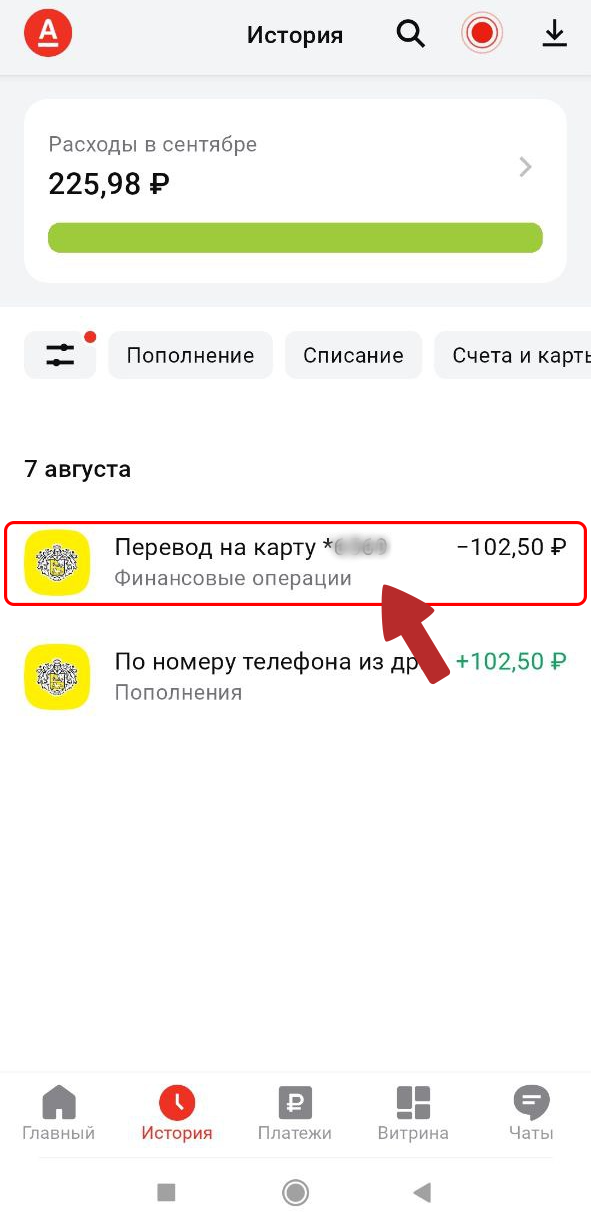
3. Tap the “Get receipt”.
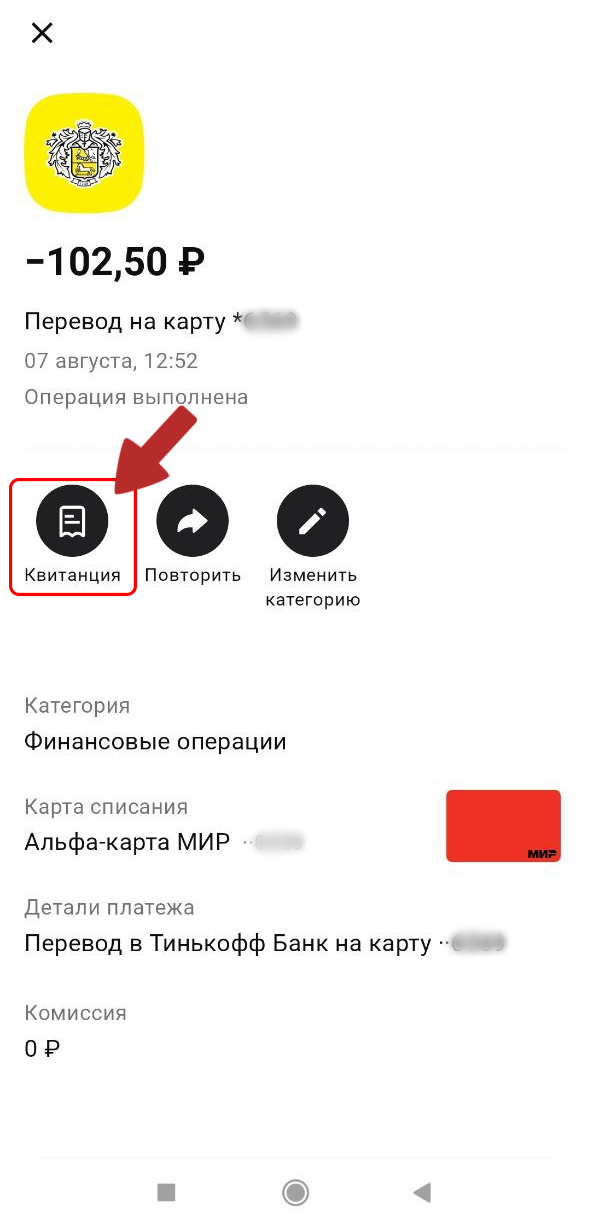
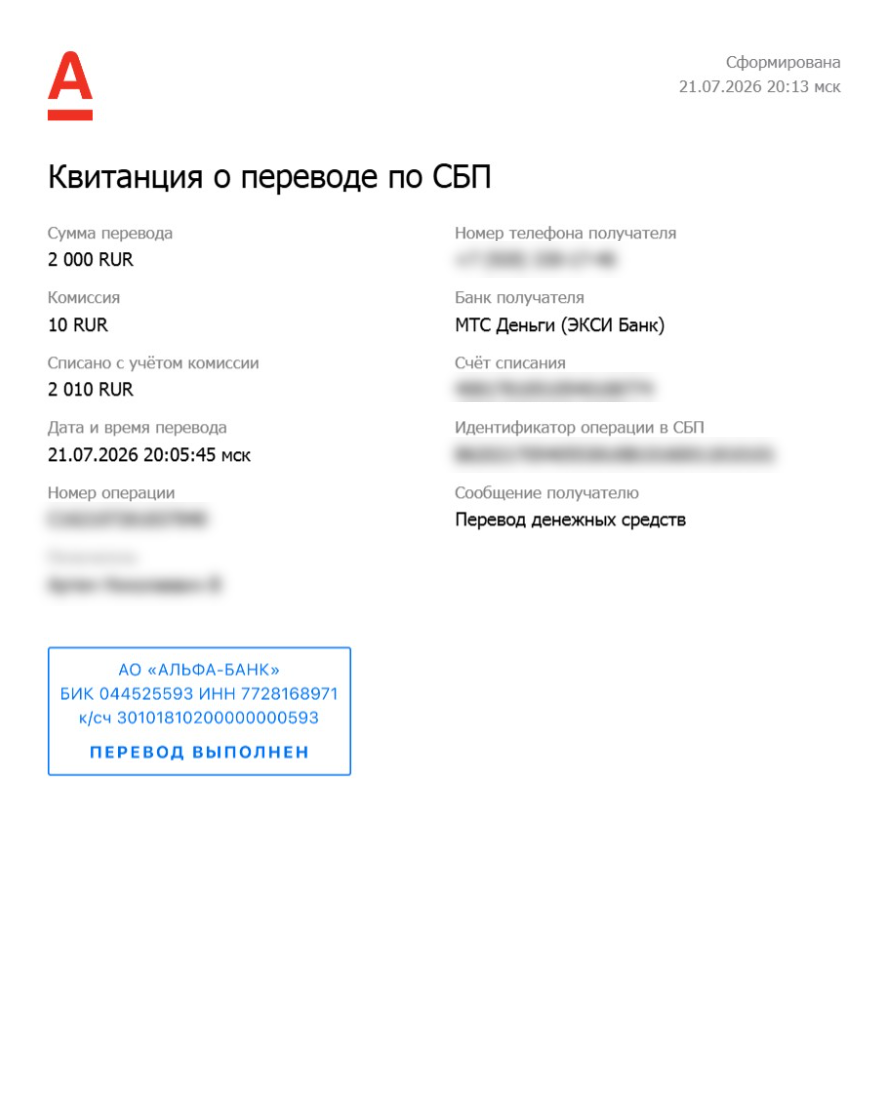
Example of an Alfa Bank receipt:
VTB Bank:
1. Open the VTB Online app on your smartphone. Select the “History” tab in the app’s bottom menu.
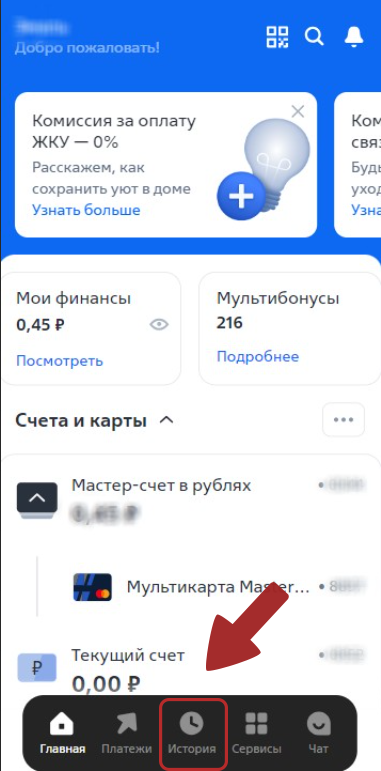
2. Find the transaction you need and tap it.
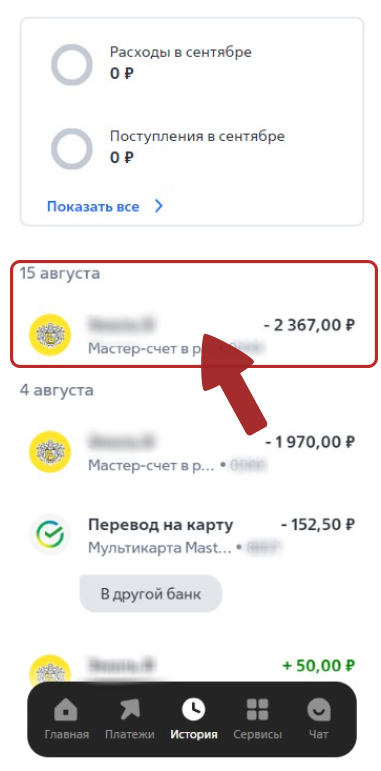
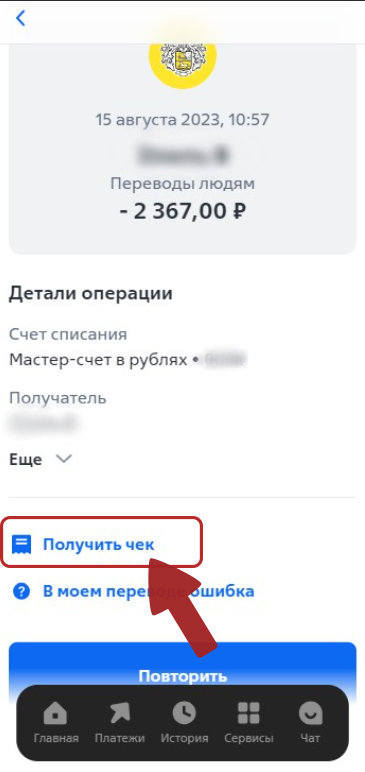
3. Tap the “Get receipt”. The receipt will be saved to your device, and you can send it by email or messenger, or save it as a file.
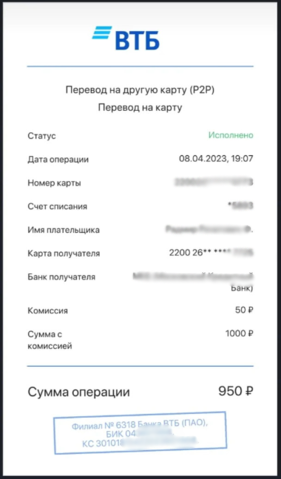
Example of a VTB bank receipt:
Gazprombank:
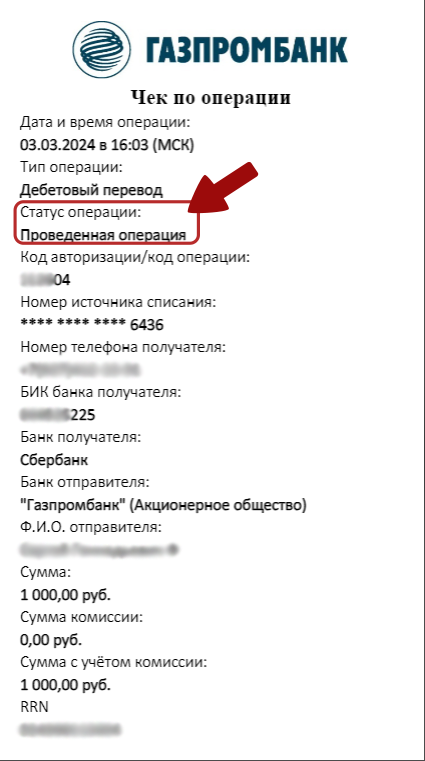
You can find the receipt in the transfer details, under the payment details for the transfer. If you can’t find it, contact your payment system or bank’s support team to request a receipt.
Example of a Gazprombank receipt
YooMoney:
Payment or transfer confirmation
Transaction receipt
Scroll down the home page to the “Events” section.
Tap the payment you need to view its details.
Tap “Open receipt”.
You can then take a screenshot or print the receipt.
Transaction statement
Scroll down the home page to the “Events” section.
Tap the payment you need to view its details.
Tap “Get transaction statement”.
The document will be sent to the email address linked to your wallet within 8 hours.
Payment order
Scroll down the home page to the “Events” section.
Tap the transfer you need to view its details.
Tap “Payment order”.
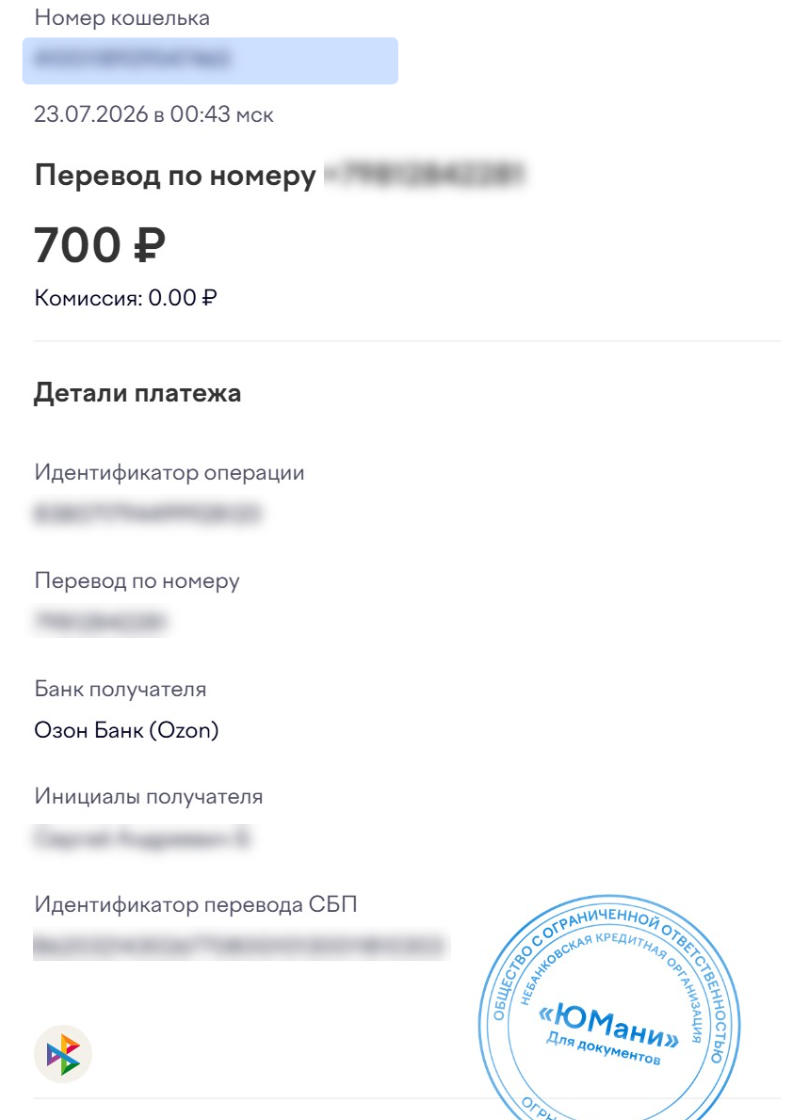
Example of a YooMoney receipt:
💡 Tip
If you have any questions or need additional information, please feel free to contact our support team.
We’re always happy to help!