

For this guide, we used the following exchange service:
How to quickly buy or exchange cryptocurrency for rubles using the Metka.cc exchange service
For easy navigation, simply click the section of the article you need:
Registering with the exchange service
Buying cryptocurrency
Withdrawing cryptocurrency to rubles
Registering with the exchange service
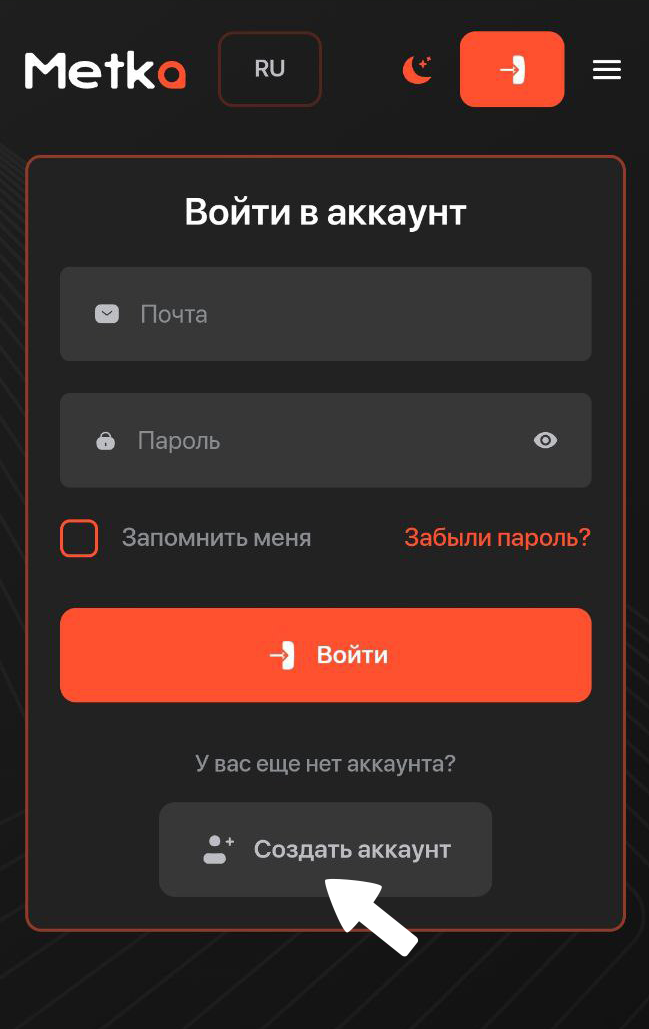
1. Select Create account
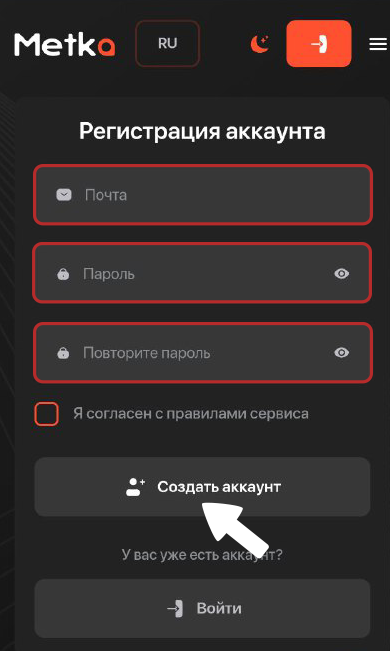
2. Fill in the highlighted fields and click Create account
Buying cryptocurrency
Go to the exchange service and choose the currency that suits you
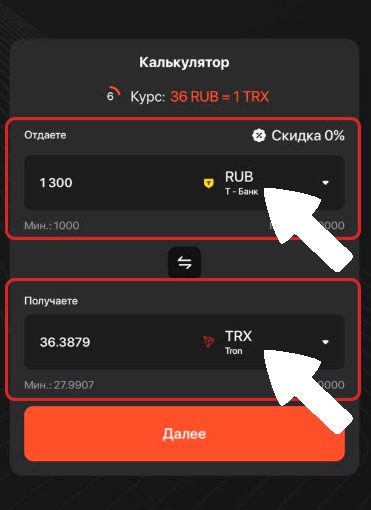
💡You send - here, choose a bank that's convenient for your transfer
You receive - choose the cryptocurrency you want to receive
(Minimum exchange amount: ≈ $12 (1,000 ₽)).
2. After choosing a convenient bank, the cryptocurrency, and the amount you want to pay, enter your details
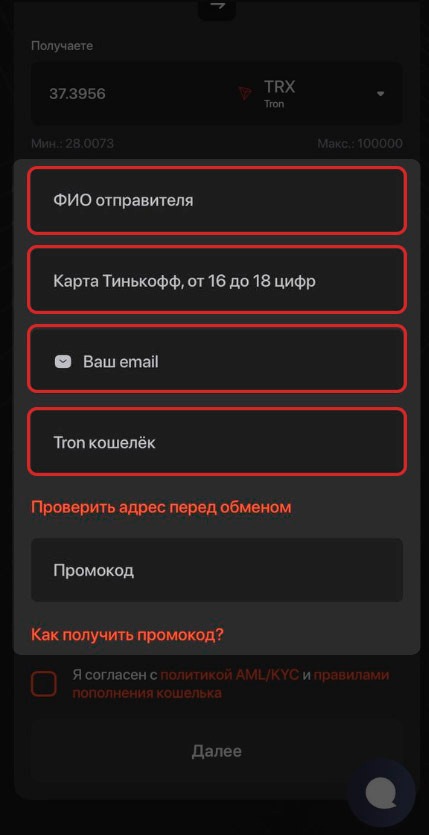
Make sure the sender details are correct!
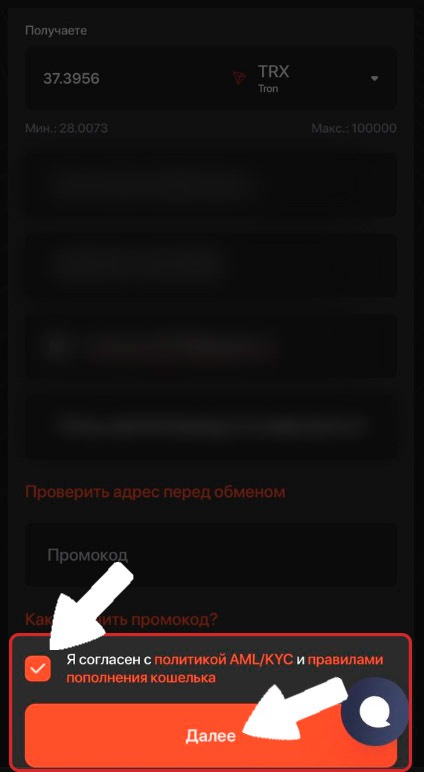
3. Once you have entered all the details, agree to the AML/KYC policy and click “Next”
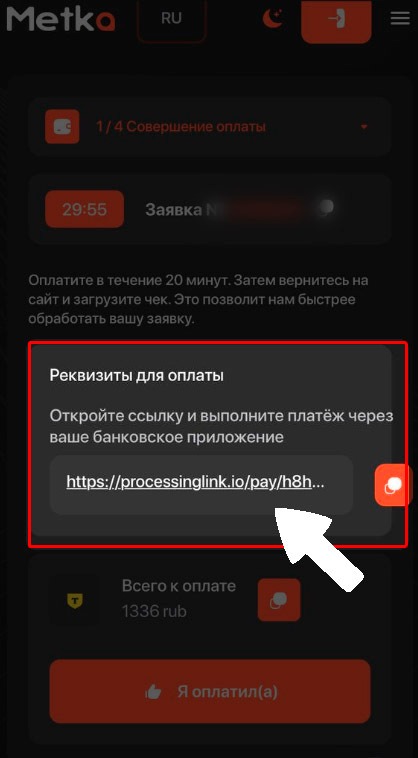
4. Then go to the order page and open the link with the payment details
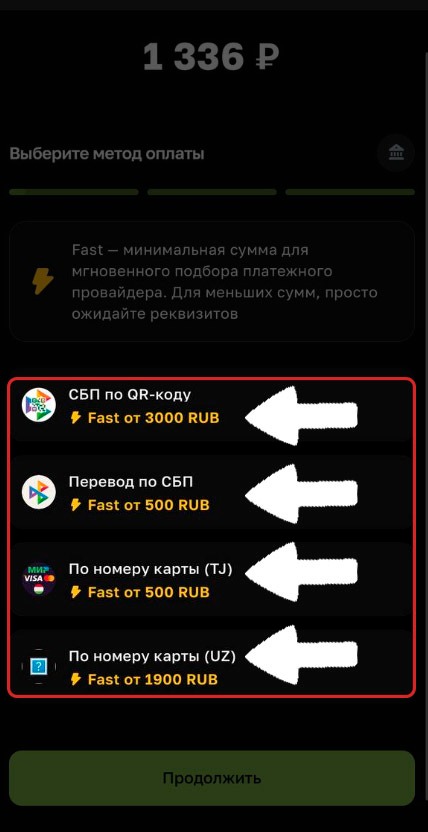
5. On the payment details page, choose a payment method that's convenient for you
6. Once you receive the payment details, transfer the funds
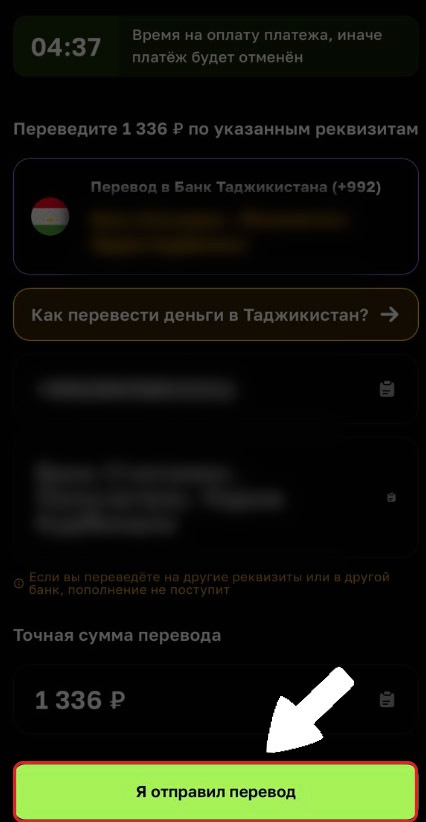
Make sure to transfer the funds to the correct bank using the correct payment details
7. After making the payment, click “I’ve sent the transfer” and attach the receipt
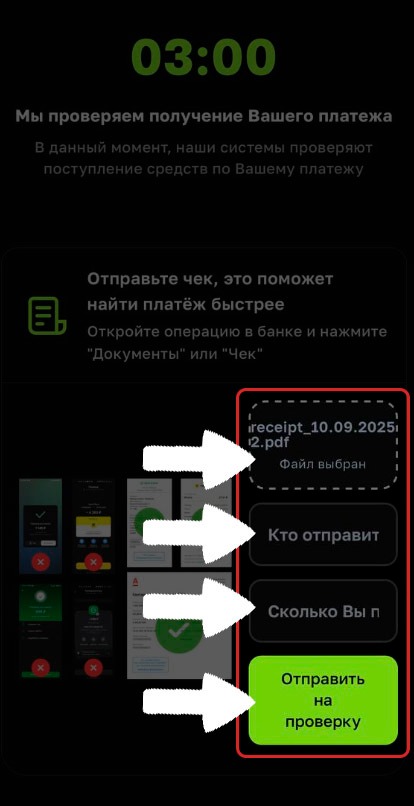
You also need to enter the sender's name (as shown on the receipt) and the transfer amount. Then click “Submit for review”.
8. Once the payment has been located, return to the order page
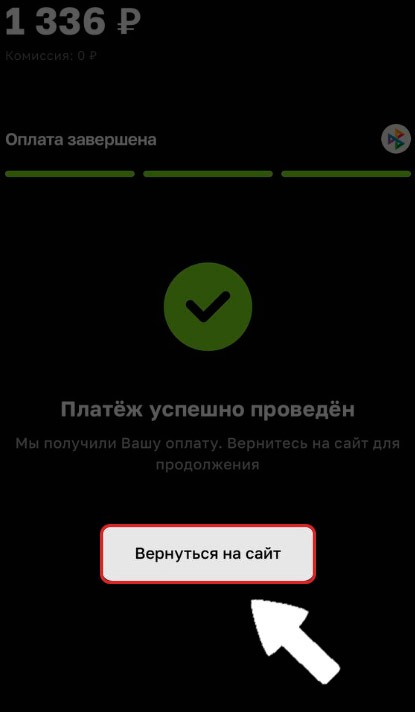
Our payment has been confirmed. Wait for the cryptocurrency to be credited to your wallet.
9. In just 5 minutes, the cryptocurrency is in our wallet
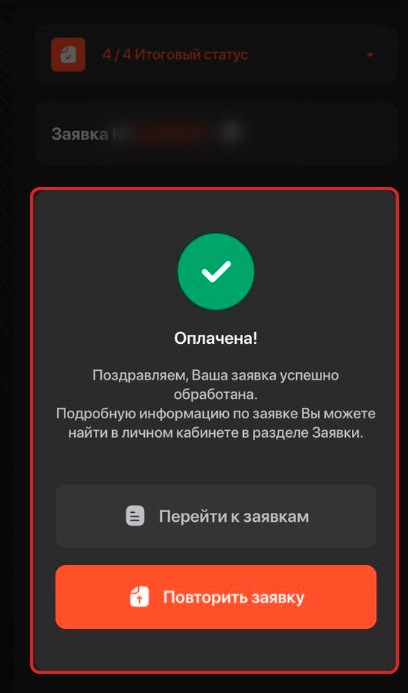
Withdrawing cryptocurrency to rubles
1. To withdraw cryptocurrency, enter the amount and select a withdrawal method
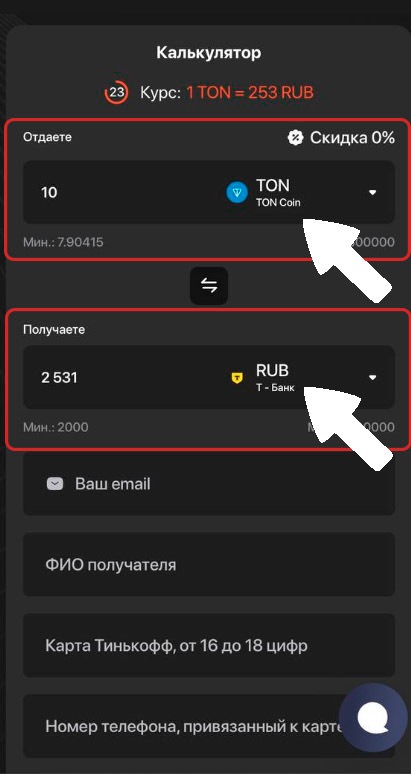
💡You send - the cryptocurrency you want to exchange
You receive - fiat currency
You also need to choose a convenient bank. (Minimum withdrawal amount: ≈ $24 (2,000 ₽))
2. Once you have entered all the details, agree to the AML/KYC policy and click “Next”.
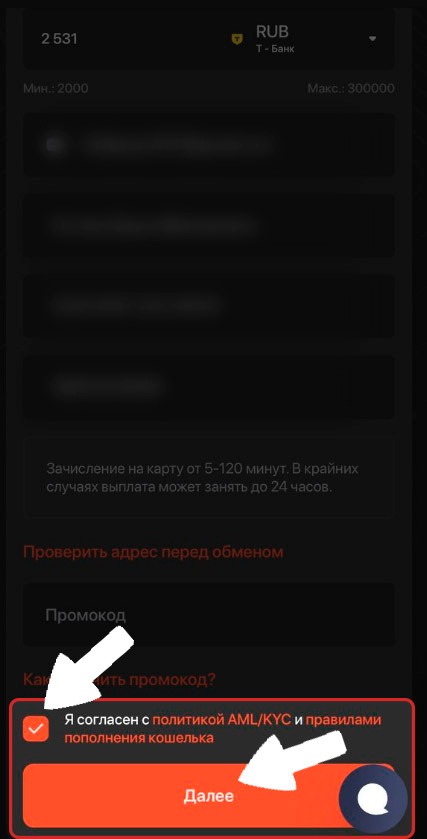
3. Transfer the funds only to the specified wallet using the network you selected earlier. Once the payment is made, click “I’ve paid”
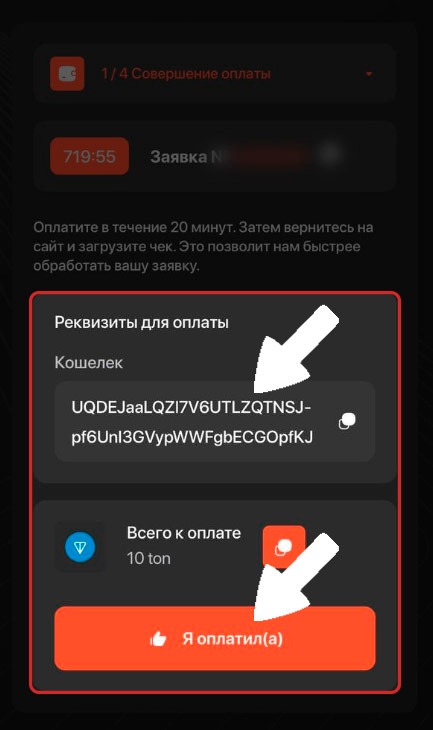
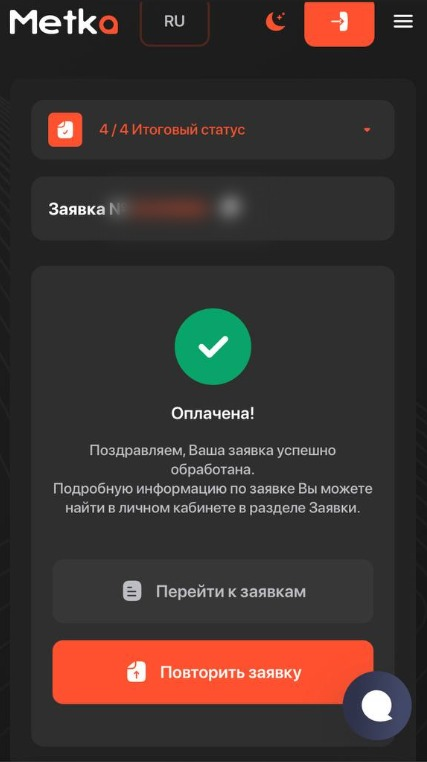
4. Shortly after, the funds will be on your card.
💡 Tip
If you have any questions or need additional information, please don't hesitate to contact our support team.
We're always happy to help!