

🚀 Don’t miss out on the best bonuses!
To unlock exclusive rewards and activate all available offers, just follow two simple steps: link Telegram to your profile and subscribe to our community.
To link your Telegram account to your profile, follow these steps:
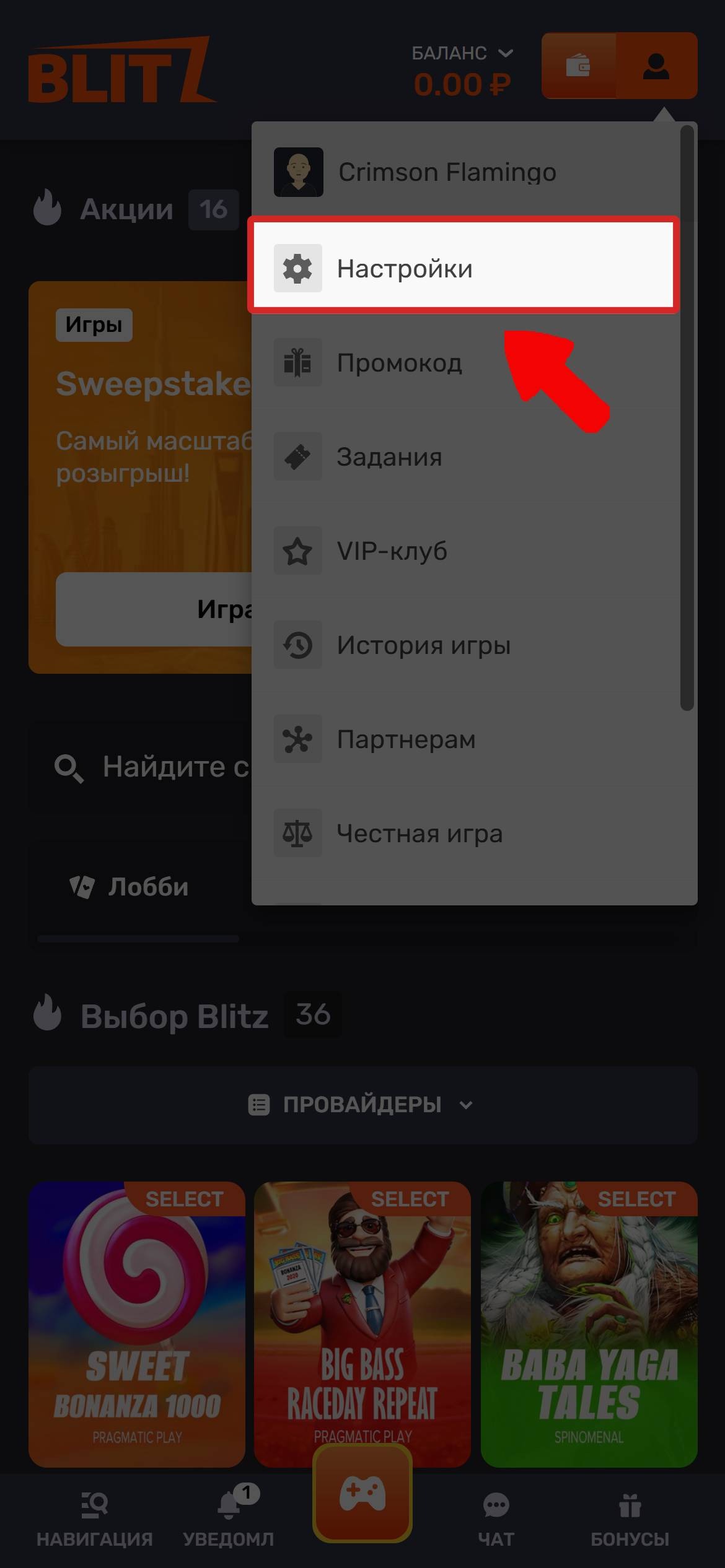
Open your account on the website. To do this, click the profile icon in the top-right corner of the screen and go to “Settings”.
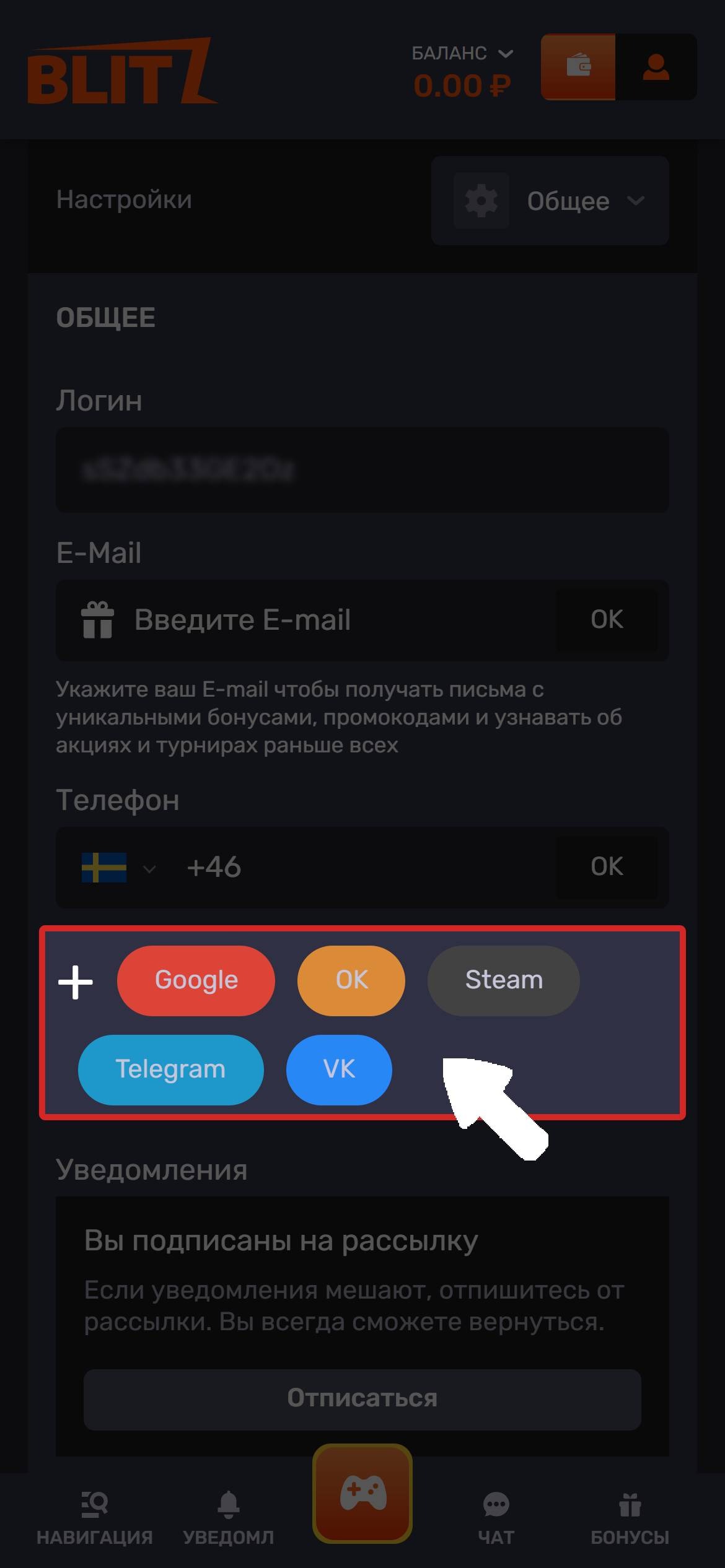
Find the “Telegram” button.
After you click the button, your browser will automatically redirect you to the Telegram app and open a chat with our platform’s official bot.
Tap the “Start” button at the bottom of the screen. This will begin syncing your Telegram profile with your gaming account.
If the specified Telegram account has not previously been linked to another profile on the platform, the bot will process your request automatically and send a confirmation that the account has been linked successfully:
“Success! Telegram has been successfully linked to your account.”
Once the process is complete, you’ll be able to receive notifications, news, and personalized offers directly on Telegram.
💡Important:
Access to Telegram may be restricted in some regions. If the app or bot isn’t working properly, we recommend using a VPN service and ensuring you have a stable internet connection before linking your account.
🔍Possible issues when linking Telegram
If your Telegram account has already been linked to another gaming profile, you won’t be able to link it again.
According to the platform rules, one Telegram account can only be linked to one gaming profile at a time. For this reason, you can’t use the same Telegram account for multiple profiles.
If you’ve previously linked Telegram to another profile and want to keep using your current account, we recommend signing in to the gaming profile that Telegram is already linked to.
🫂If you’re having trouble or still have questions, message us via Live Chat👇