

Let's take a look at detailed instructions for depositing with all popular payment methods
(To go to the method you're interested in, simply click the icon below👇)





For your convenience, we've also prepared a video guide on how to deposit using a QR code
SBP💸
1. Select SBP in your wallet and enter the amount.
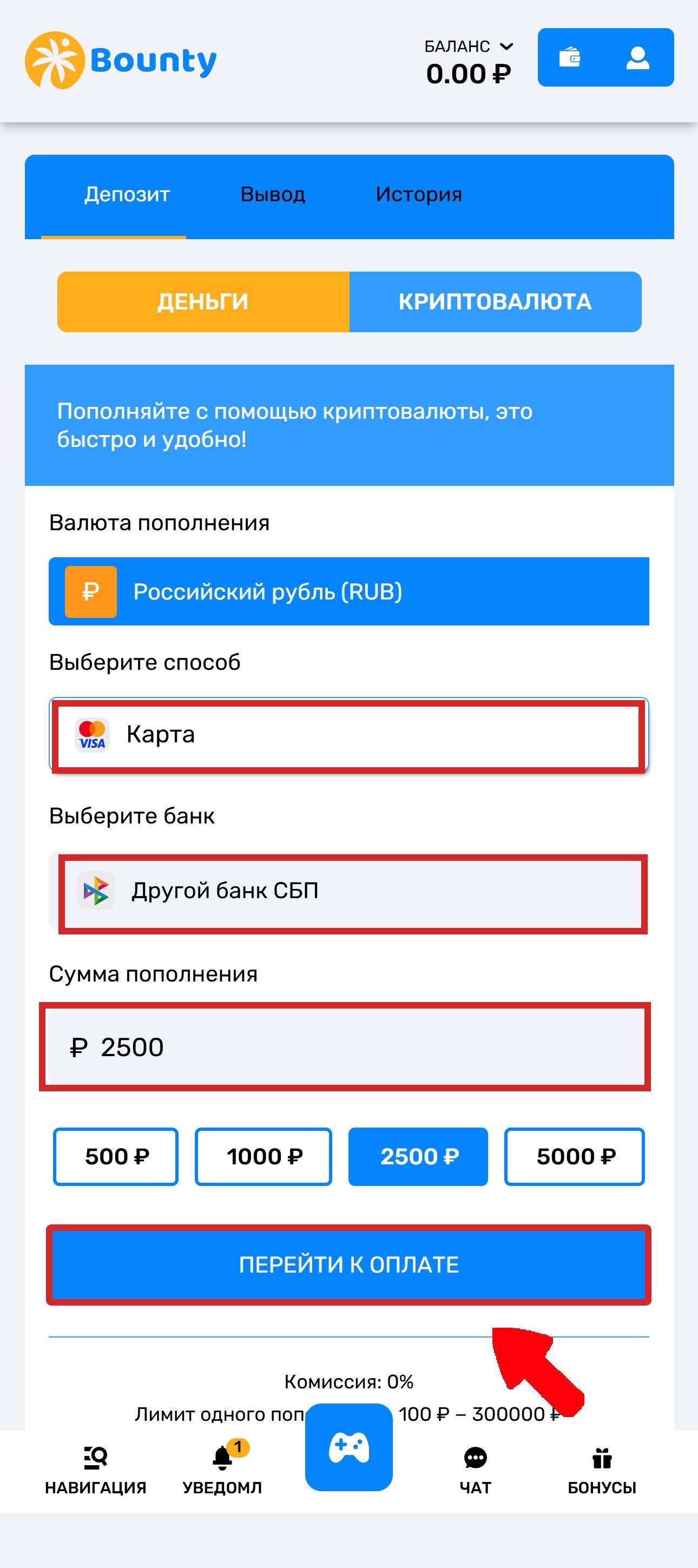
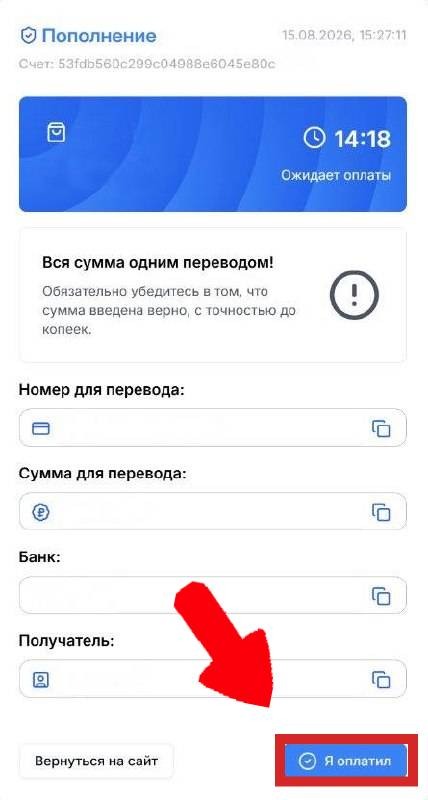
2. You'll be redirected to a page with the transfer details and the name of the bank to use for the payment.
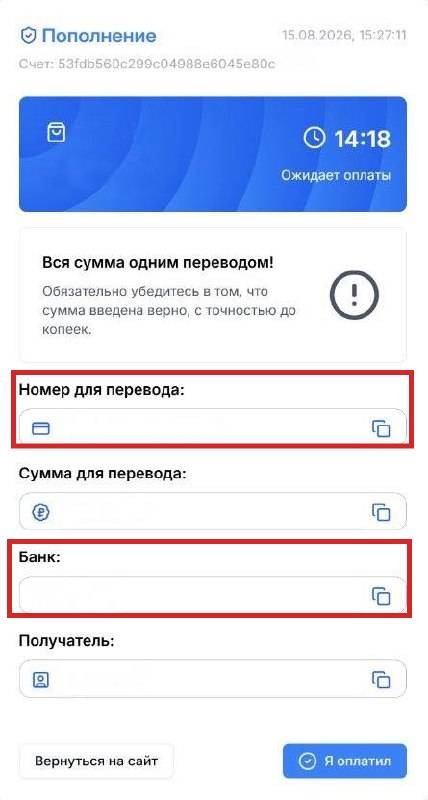
Important! Pay attention to the bank name. Make sure to transfer using the phone number and select the account at the specified bank in the app.
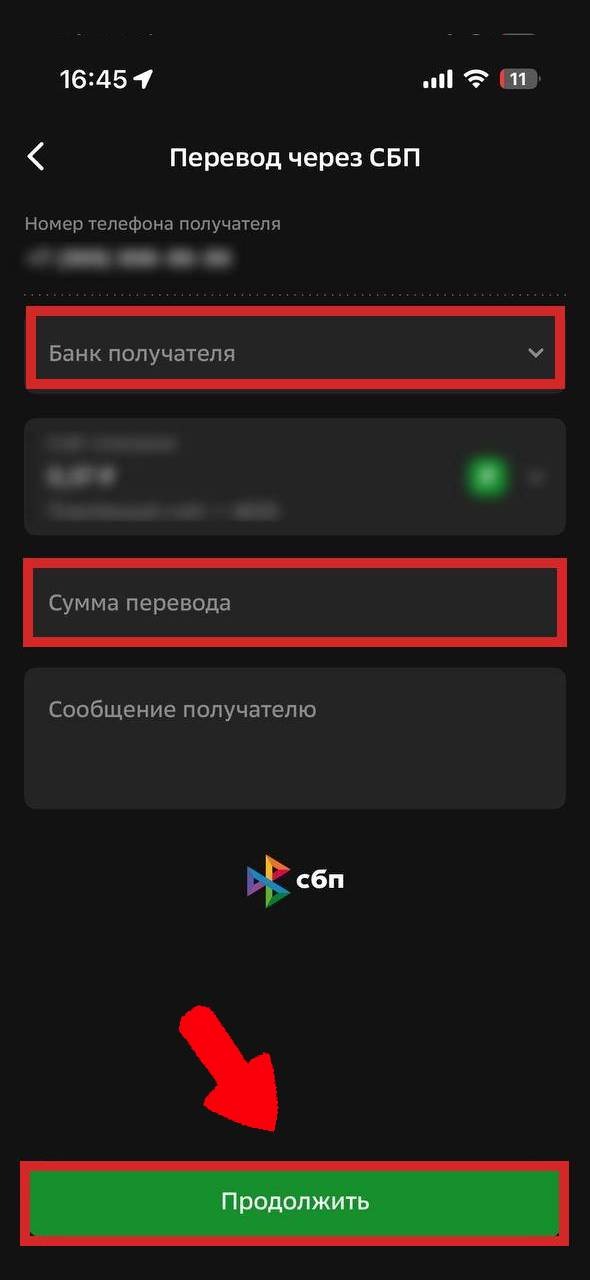
3. Open your banking app and go to “Payments”, then select “Transfer via SBP”.
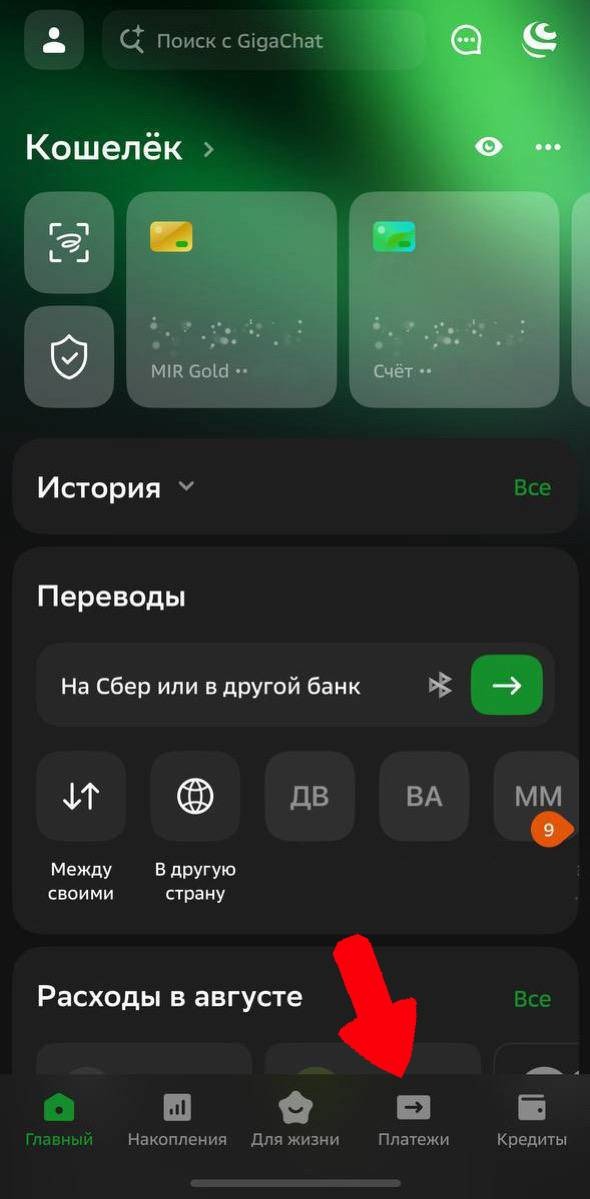
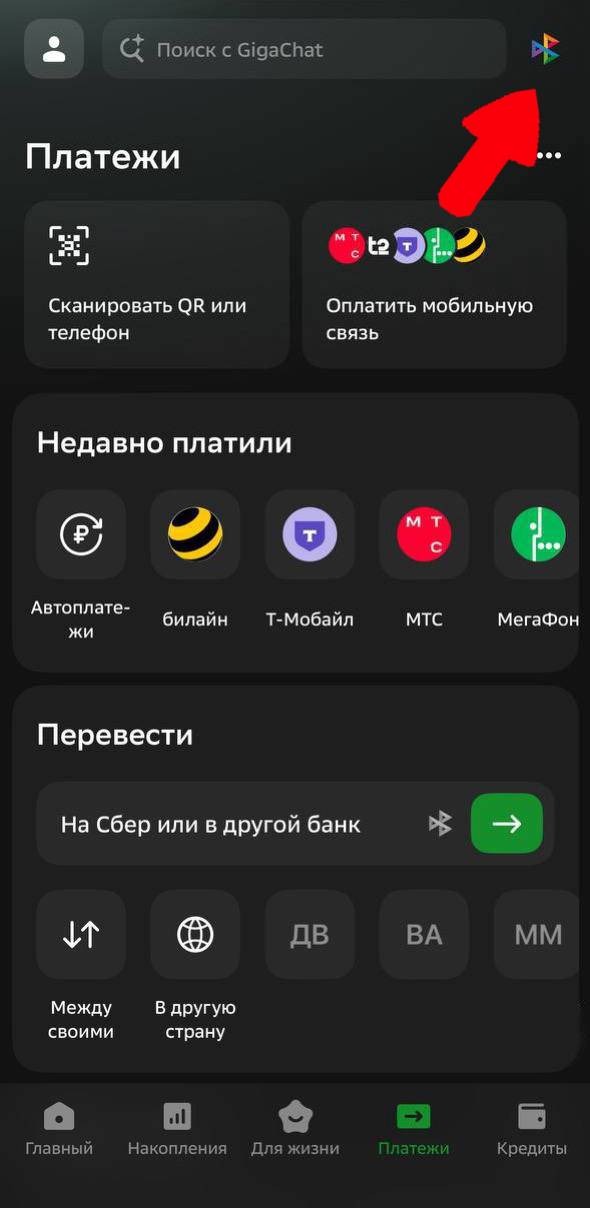
4. Select “Transfer to another bank”.

5. Enter the recipient bank and the transfer amount, then tap “Continue”.
6. Tap “I’ve paid”.
Wait for the funds to be credited✨
Card deposit💳
1. Select card payment, choose a bank, and enter the amount
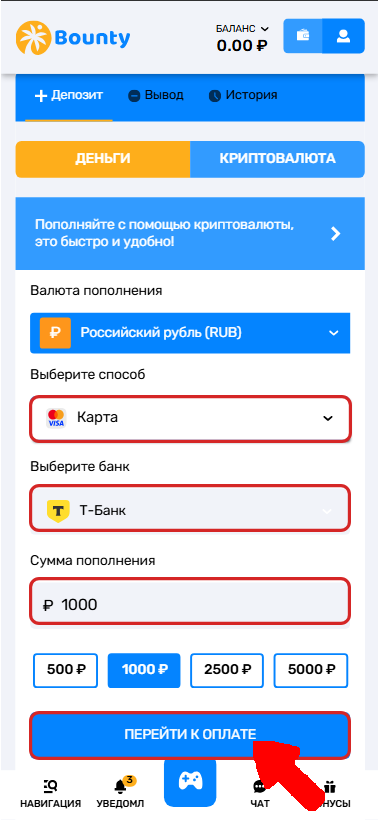
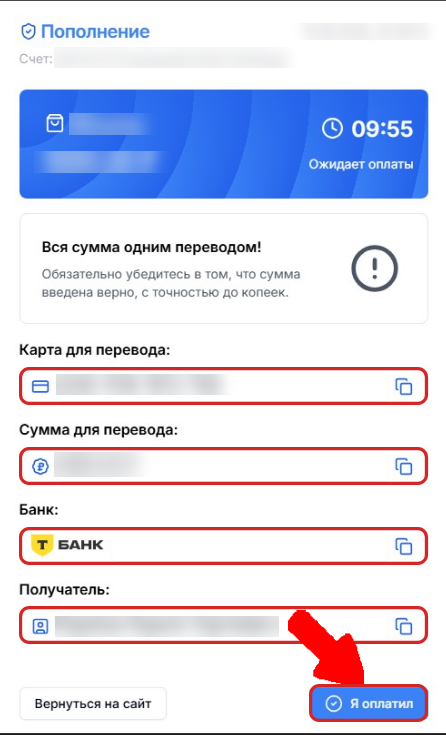
2. On the payment page, copy the payment details provided by clicking the button next to them.
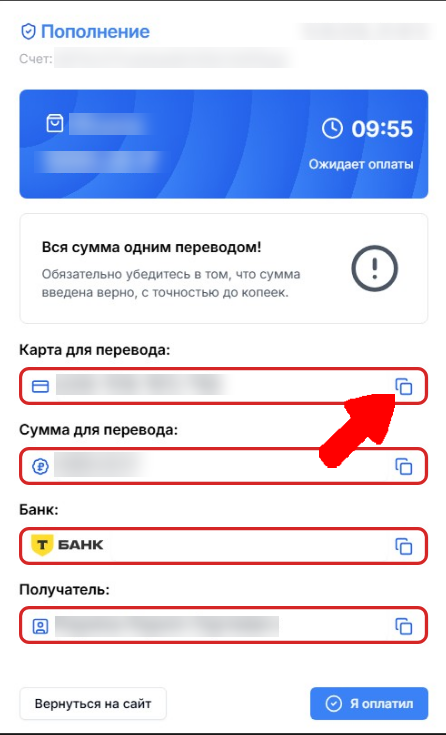
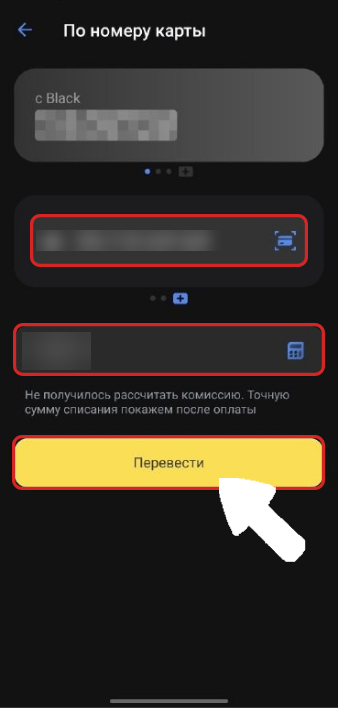
3. Open your banking app and enter the transfer details.
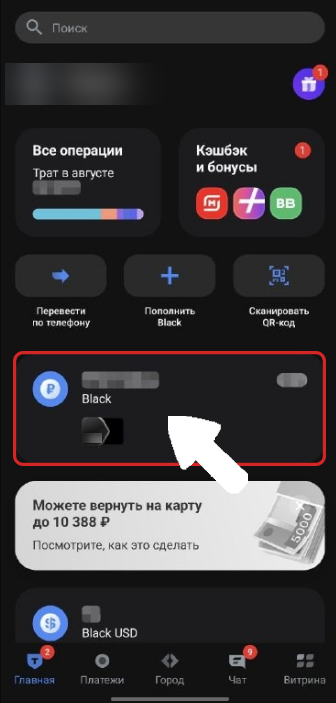
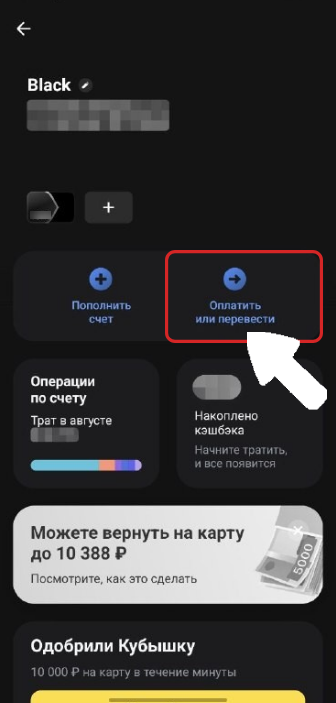
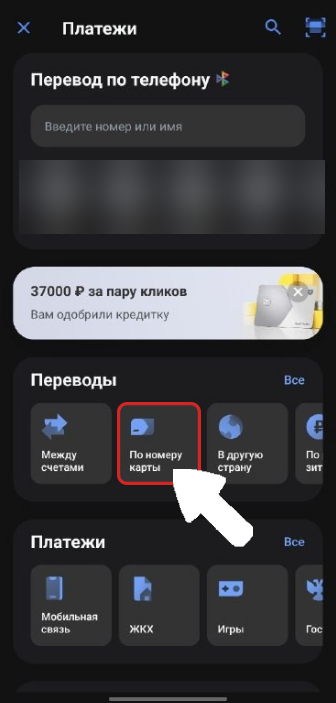
4. Transfer the funds to the specified details.
5. Tap “I’ve paid”.
Wait for the funds to be credited✨
ЮMoney💷
1. Select the method and enter the transfer amount.
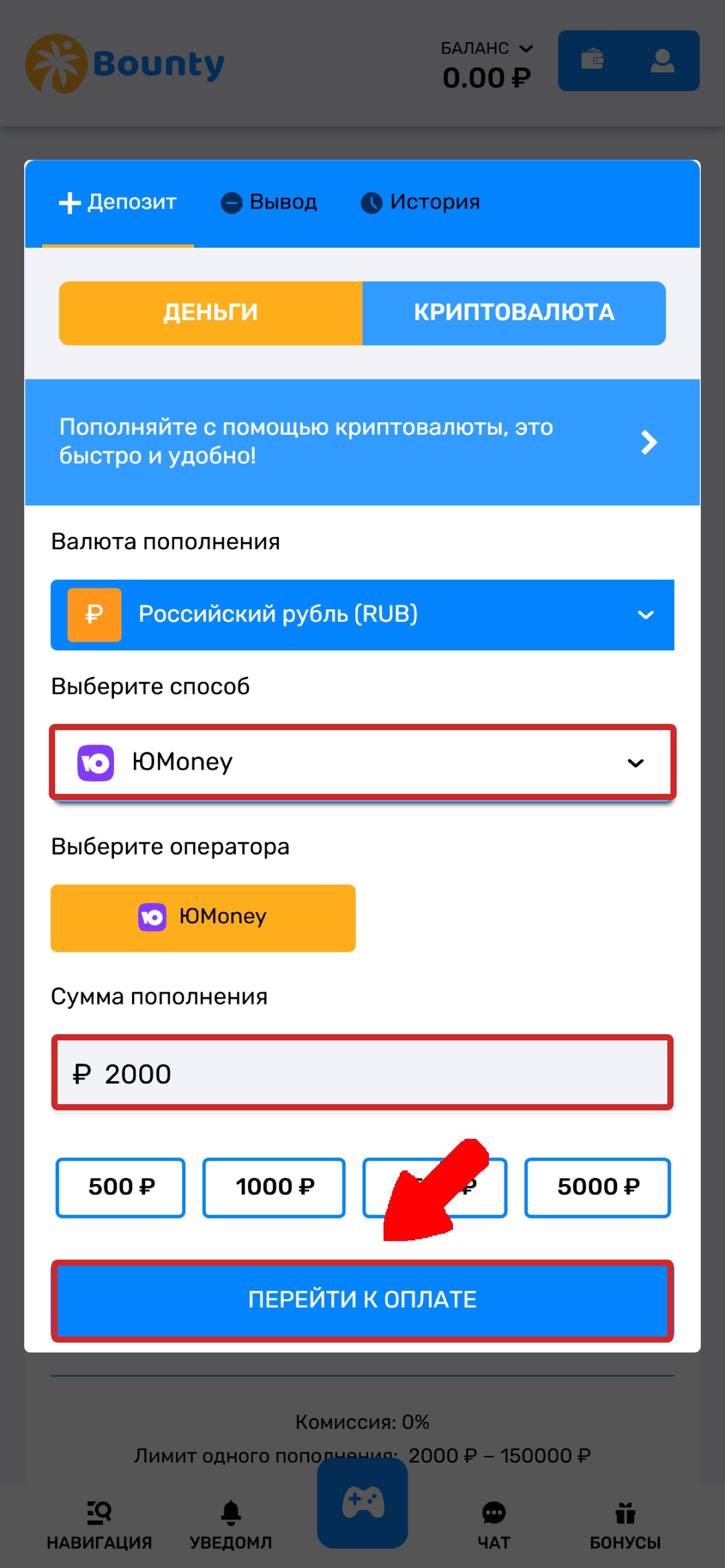
2. When proceeding to payment, select ЮMoney.
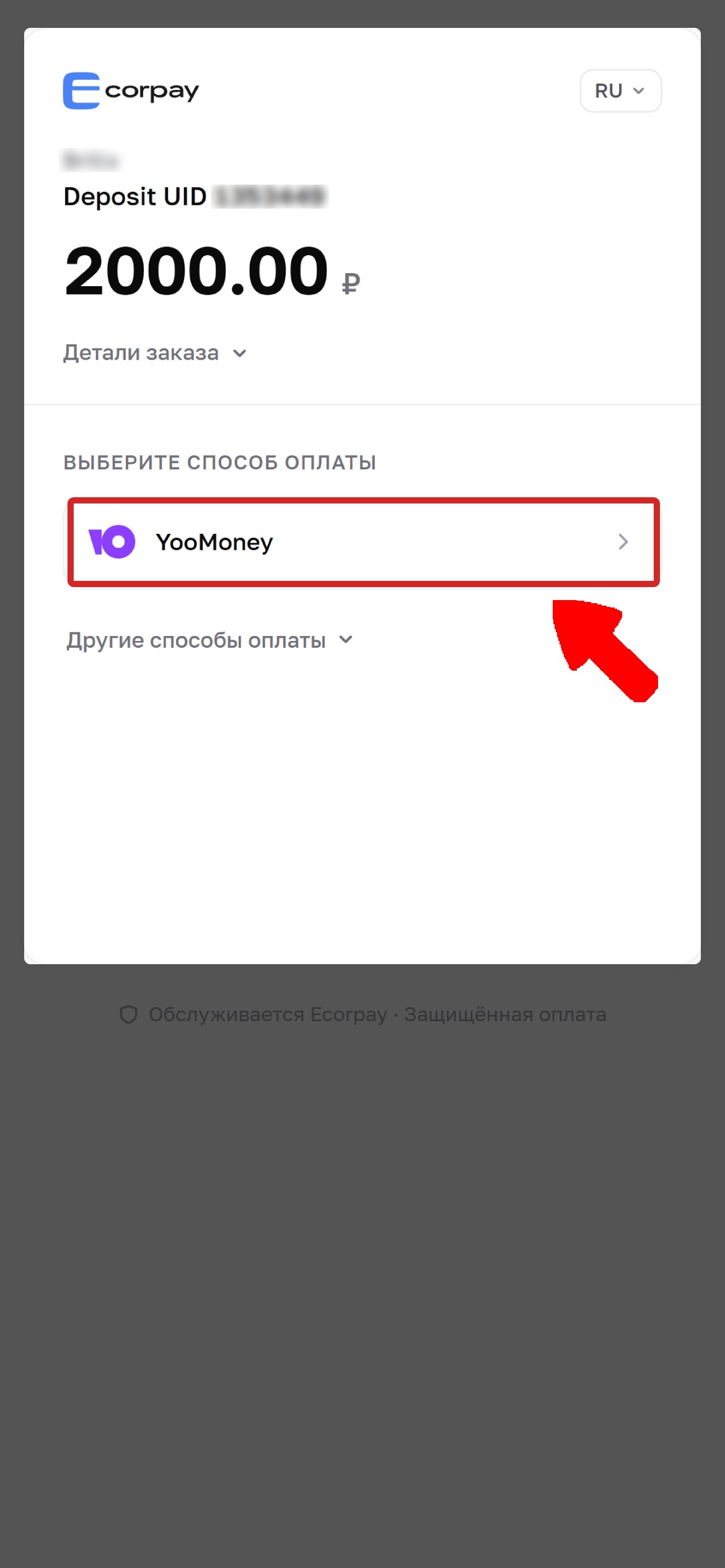
3. After selecting it, you'll receive the payment details.
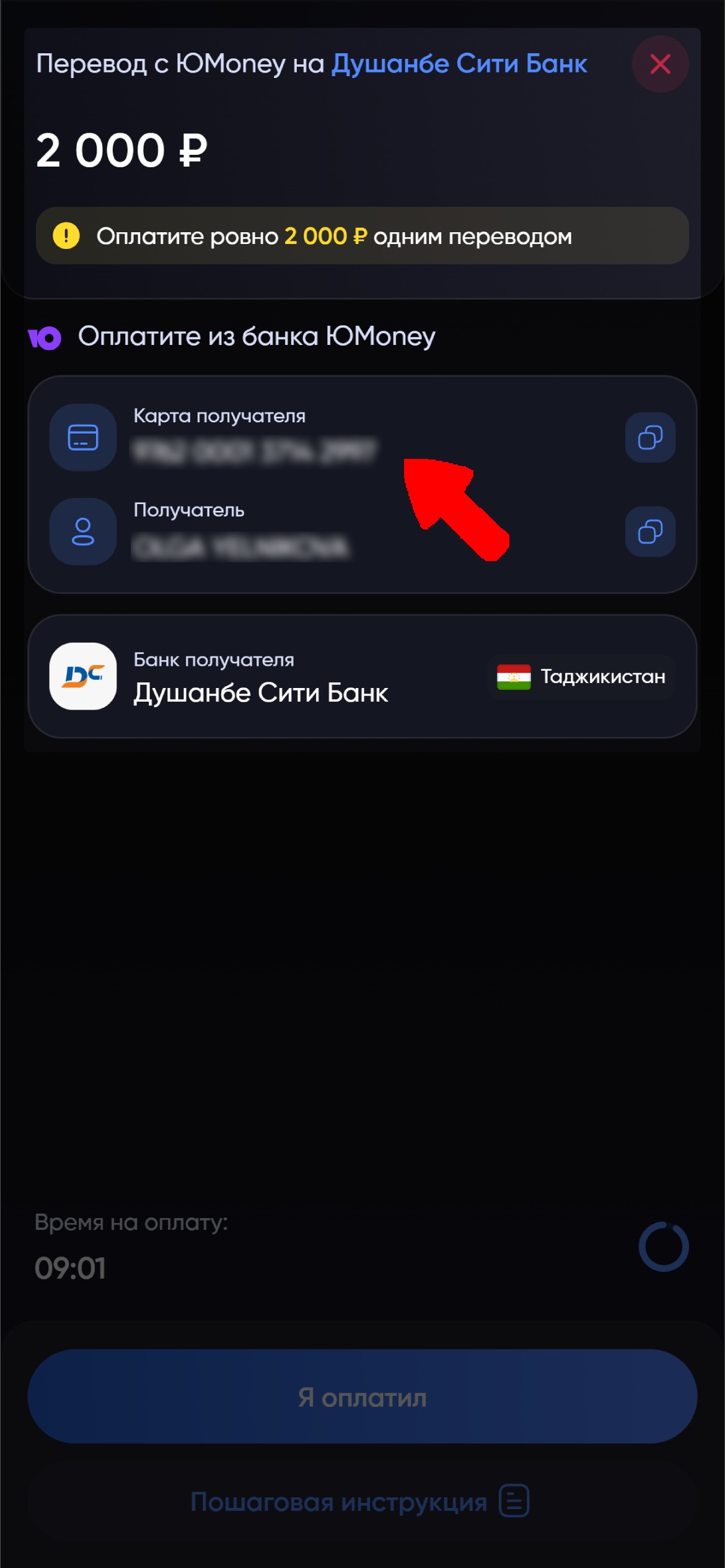
4. Open your ЮMoney wallet and select transfer to a card.
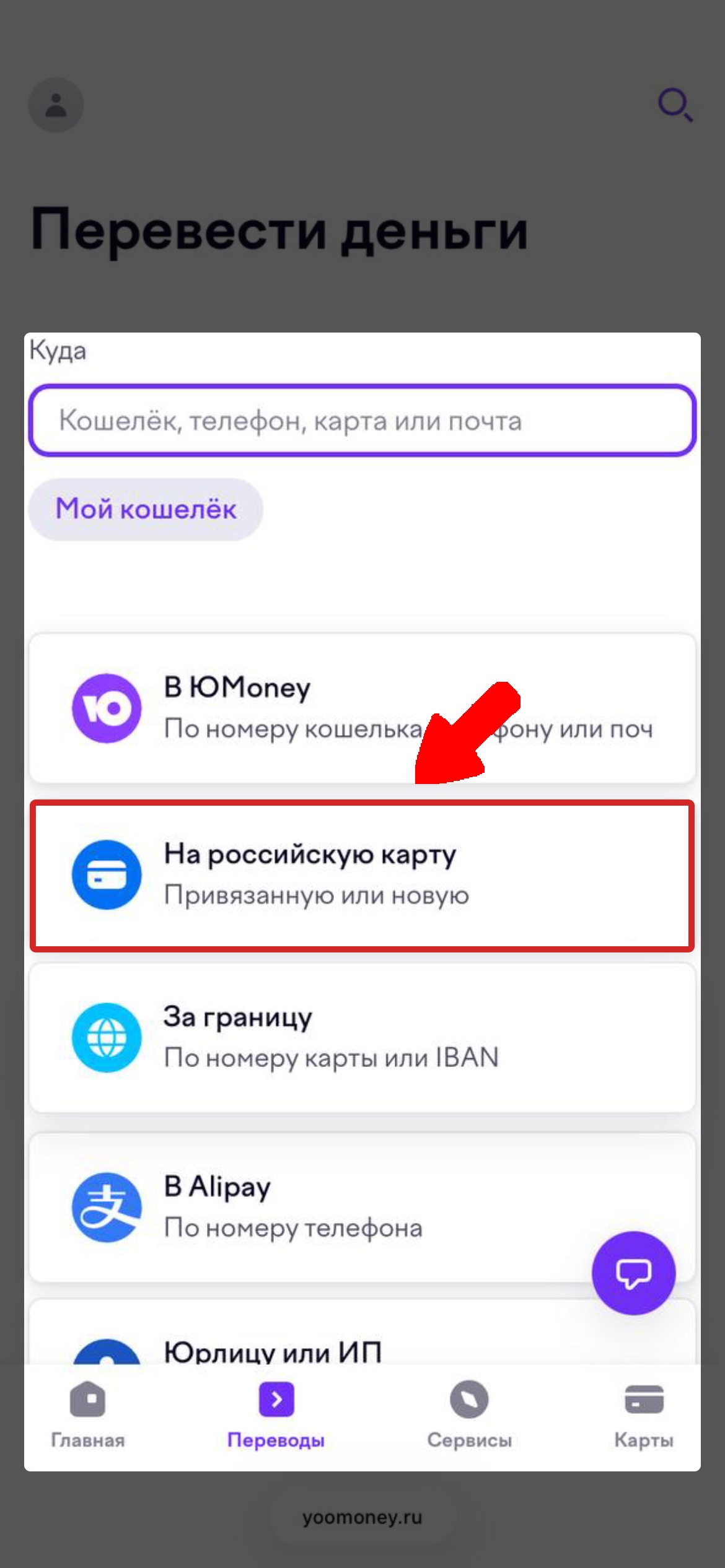
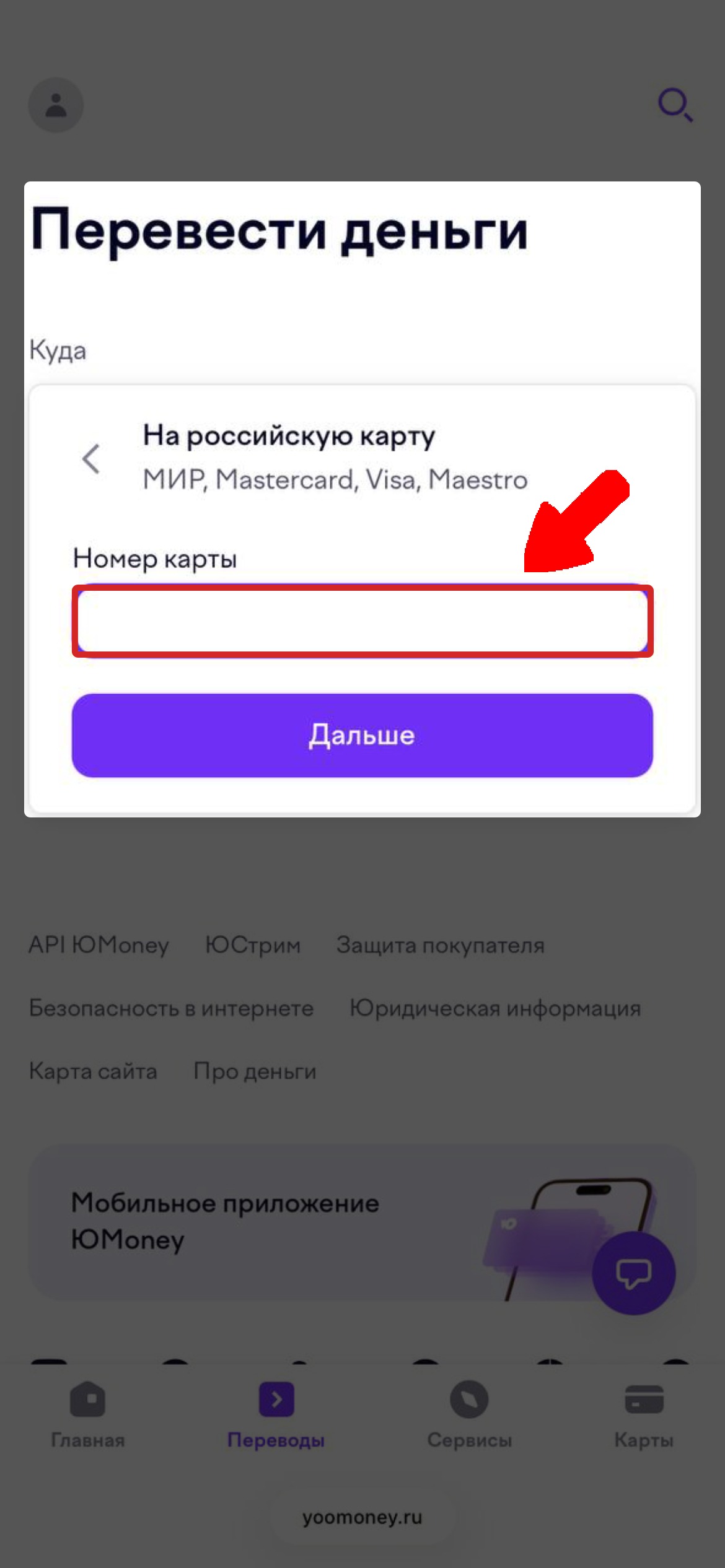
5. Enter the details provided on the payment page in the transfer field and send the funds.
6. After making the transfer, return to the payment page and tap “I’ve paid”.
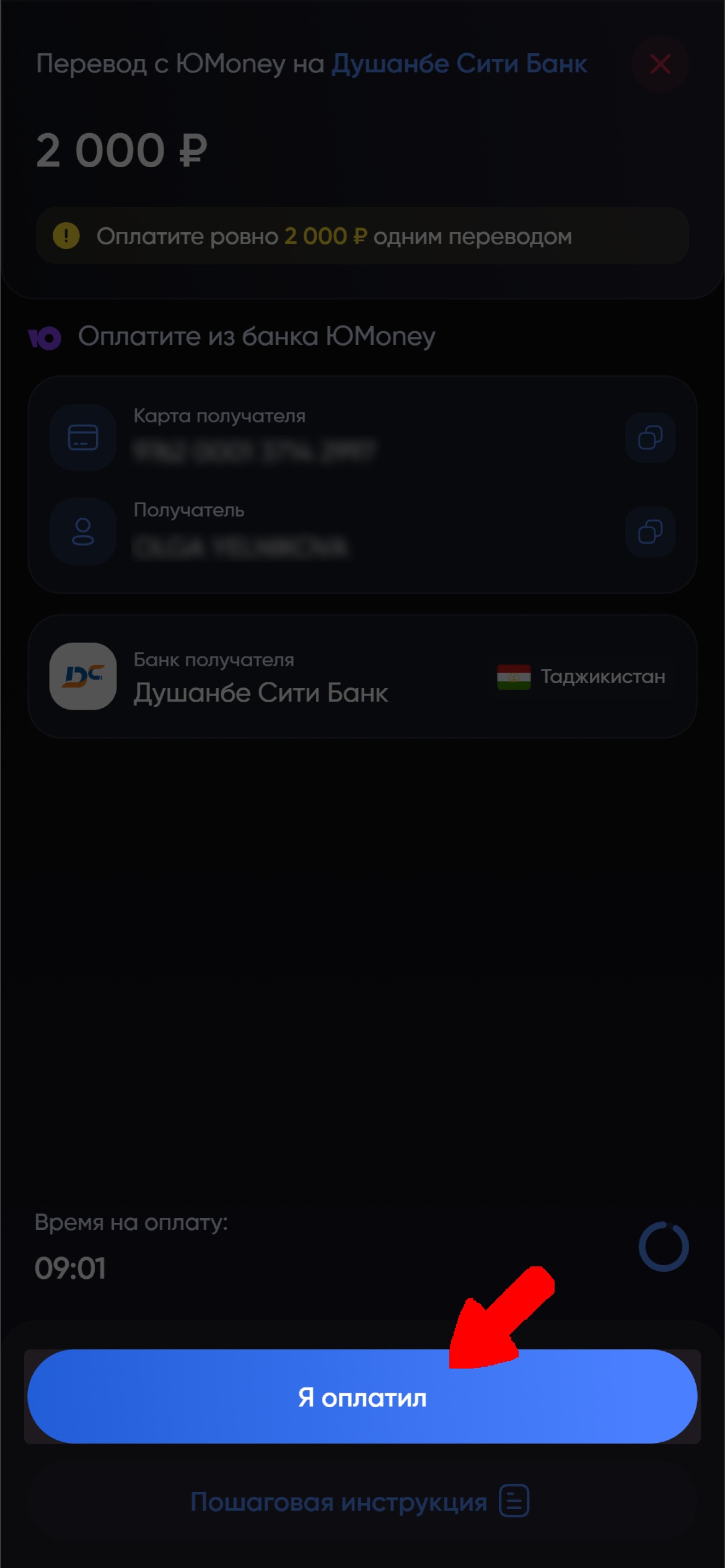
Wait for the funds to be credited✨
Ecorpay🔥
1. Select Ecorpay and enter the transfer amount.
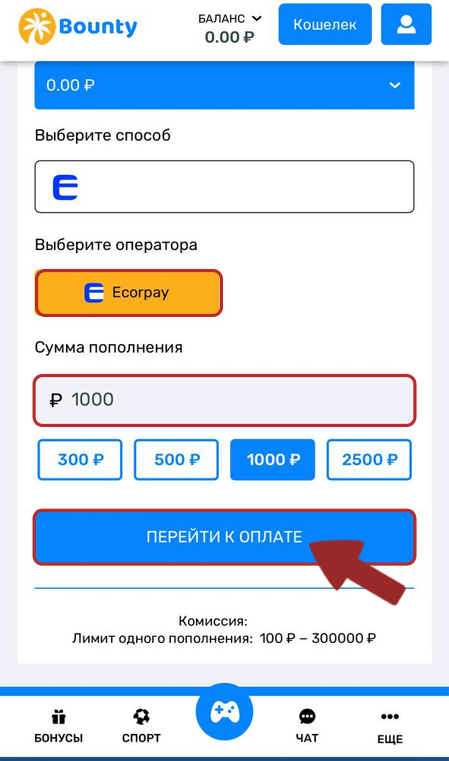
2. When proceeding to payment, select Ecorpay.
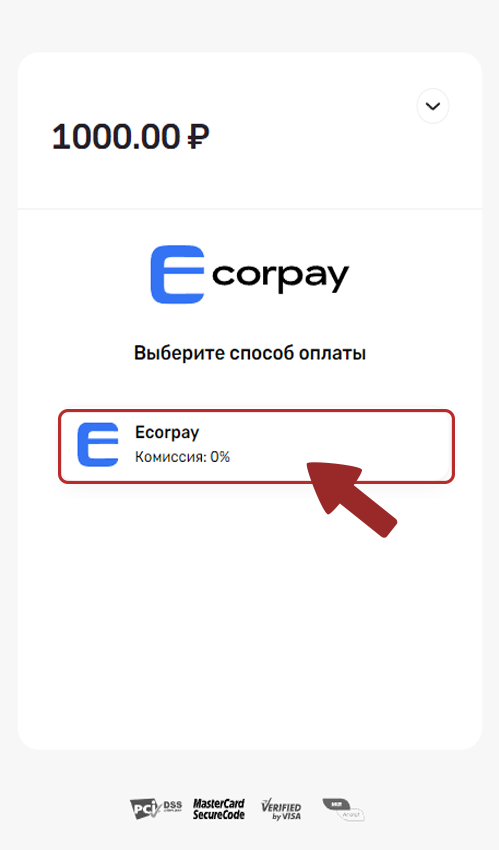
3. A page will appear for logging in to your Ecorpay wallet. Log in to your account.
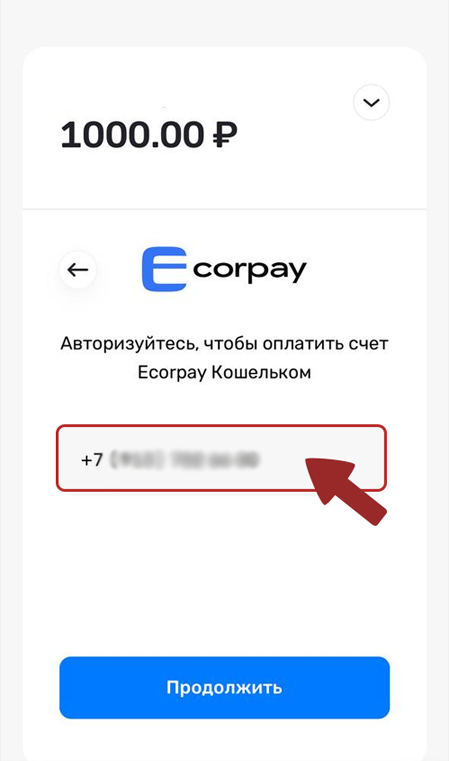
4. If you have funds in your wallet, transfer them. If not, top up your wallet first, then transfer the funds to our website.
Wait for the funds to be credited✨
FK Wallet💳
1. Select FK Wallet and enter the transfer amount.
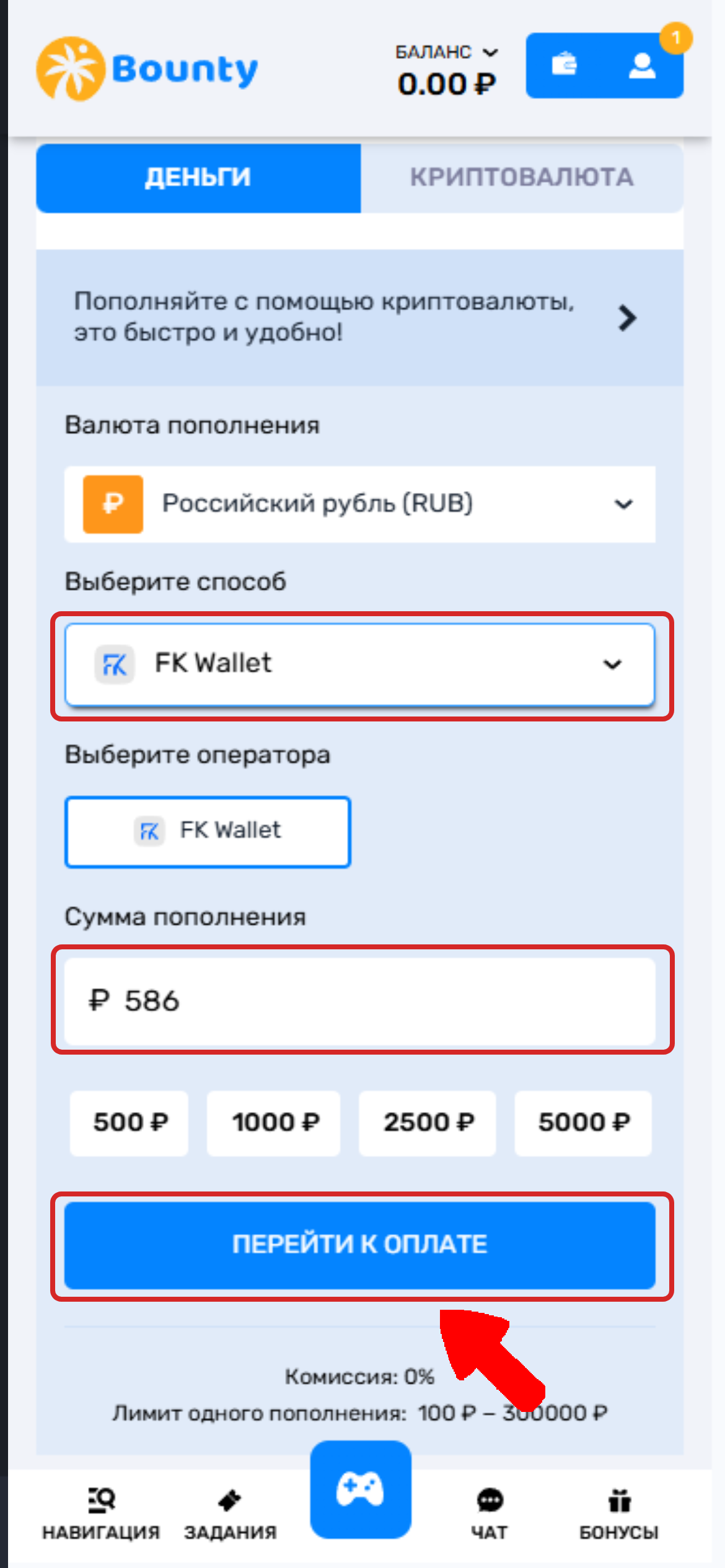
2. In the window that appears, click "Open".
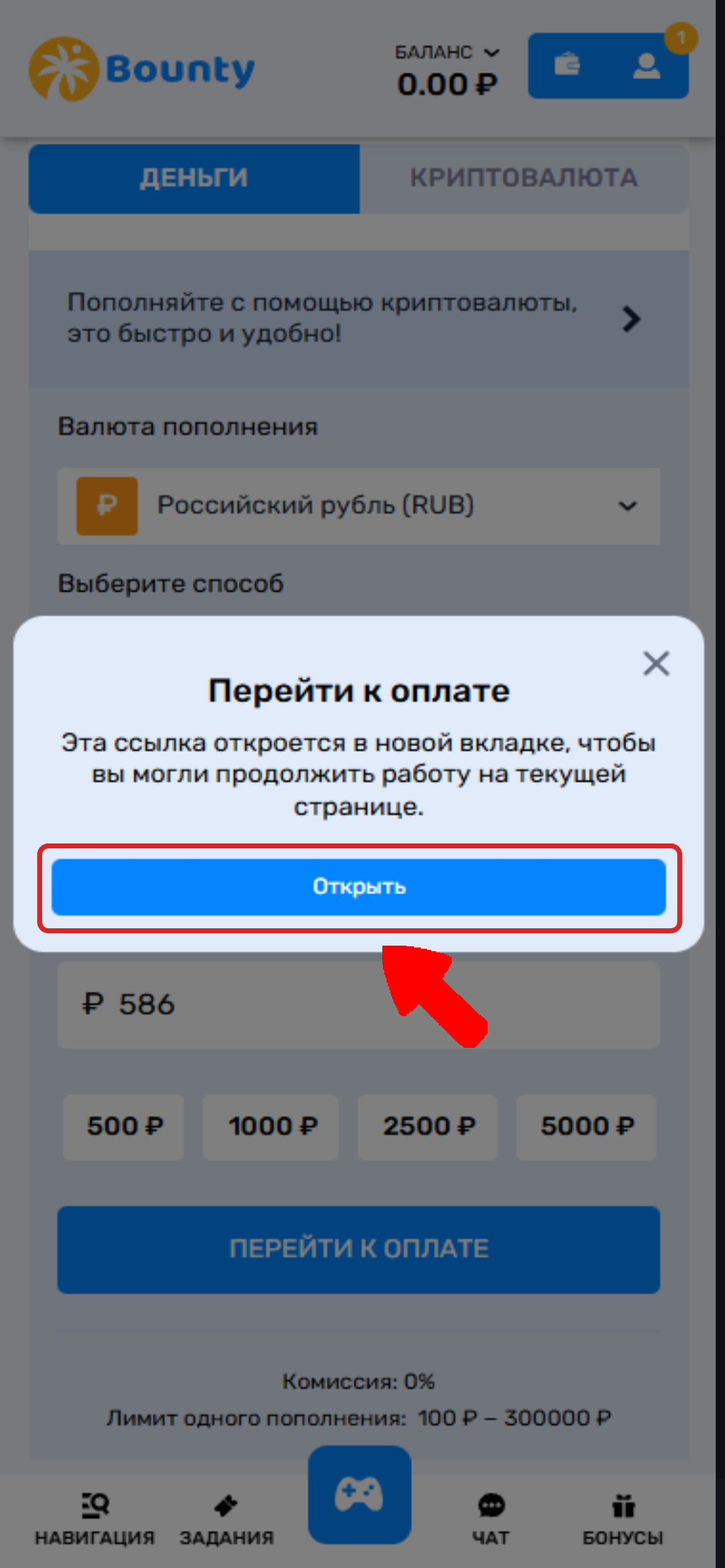
3. In the window that opens, select FK as your payment method.
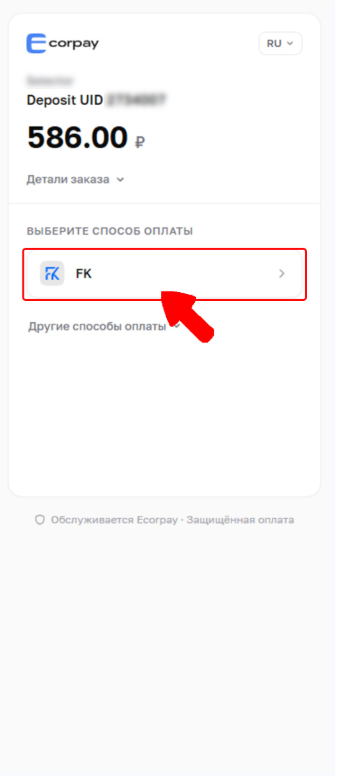
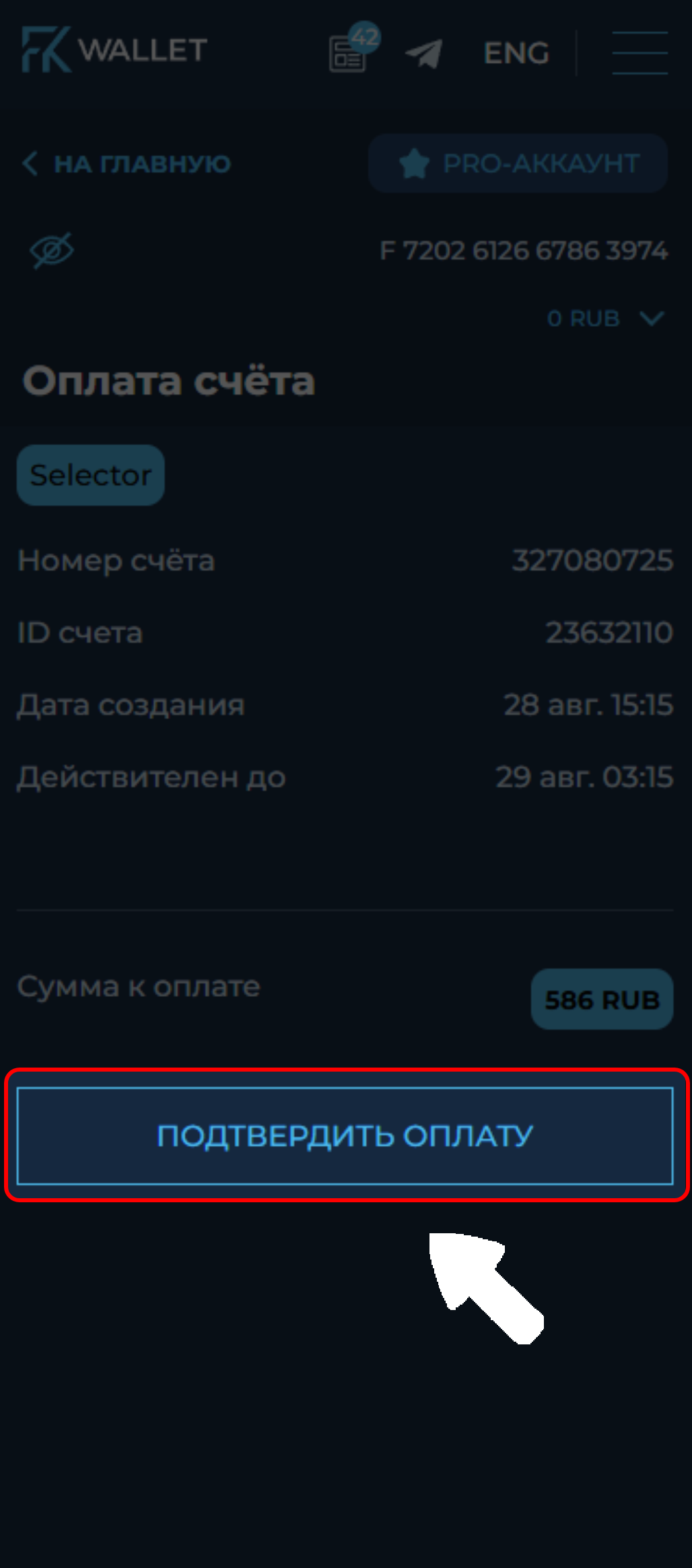
4. Confirm the payment in the wallet app or on the wallet website.
Wait for the funds to be credited✨
💡 Tip
If you have any questions or need additional information, please don't hesitate to contact our support team.
We're always happy to help!