

We’re pleased to let you know that we’ve fully automated the process of submitting and reviewing requests. You can now submit requests and track their status without assistance from our operators! 🤩
How do you do it? It’s easy 🙂
1. After making a transfer to the specified payment details, a timer will appear while your payment is being verified.
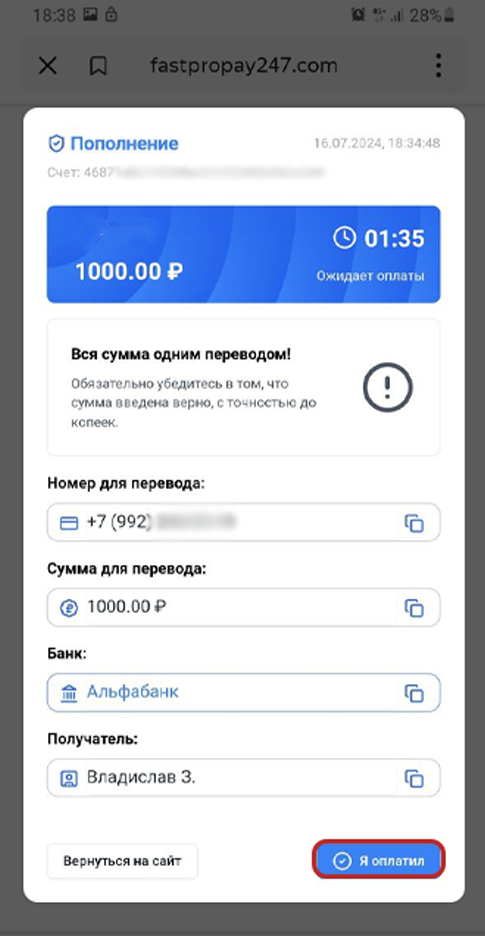
2. Once the payment period has expired, click the file upload area and attach your payment receipt or confirmation for verification.
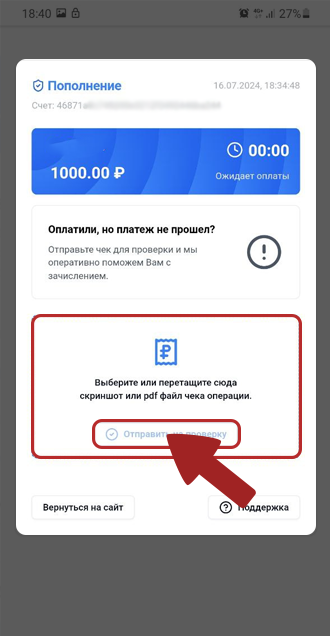
3. If you upload a valid payment receipt, a request will be created automatically, and you’ll be able to track its status below. 👇🙂
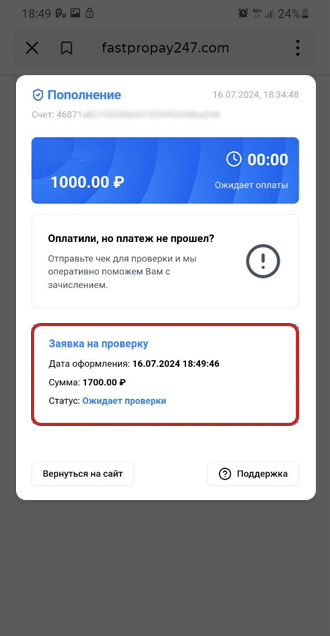
4. Request status: "Processing"
Your request has been received by the payment system for processing. If all the details are correct, the payment will be credited once the review is complete.
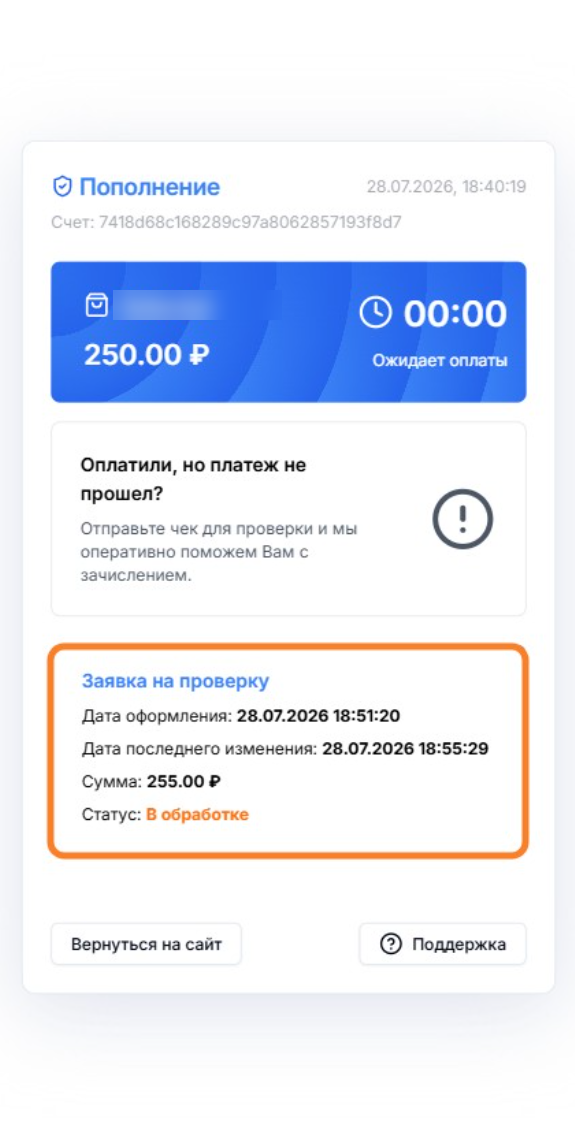
5. Once the payment has been successfully verified, the deposit status will change to successful, and the funds will be added to your account balance. 🤩
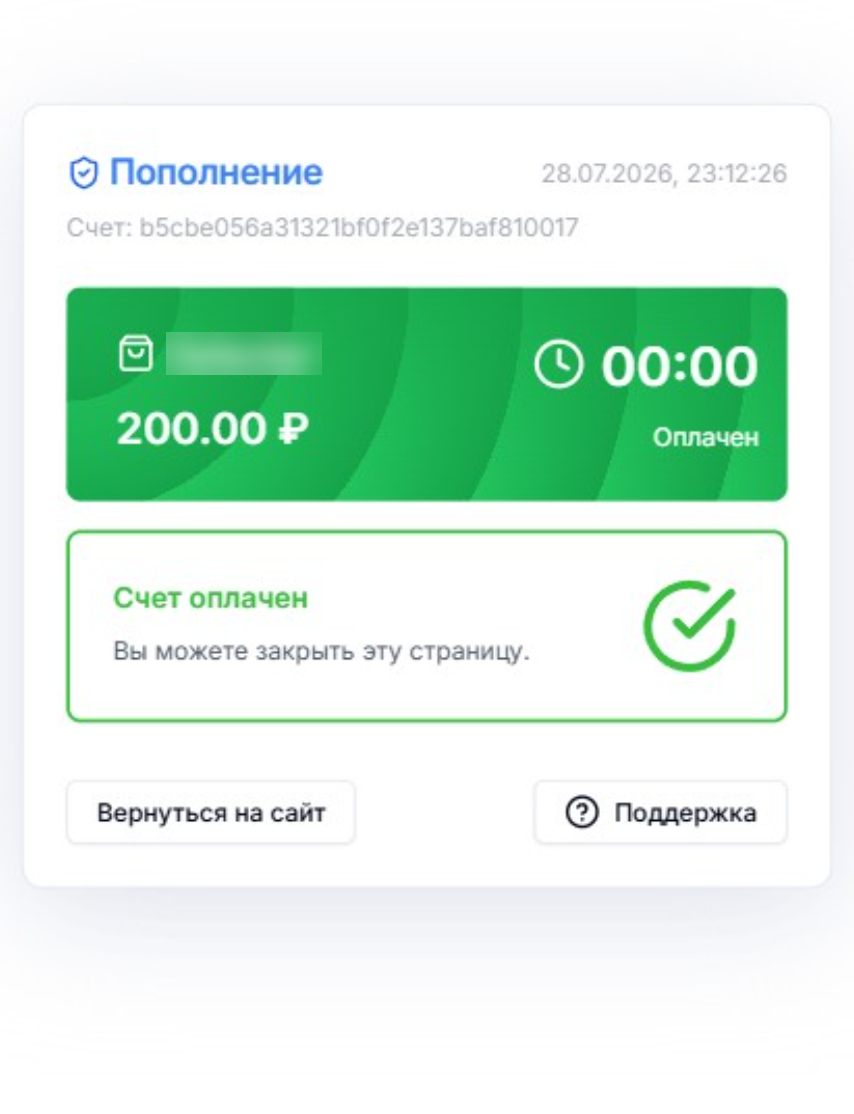
How can you check the verification status?
The verification status shown on the page will change depending on the issue and how your request is being reviewed (as in the examples below 🙂👇).
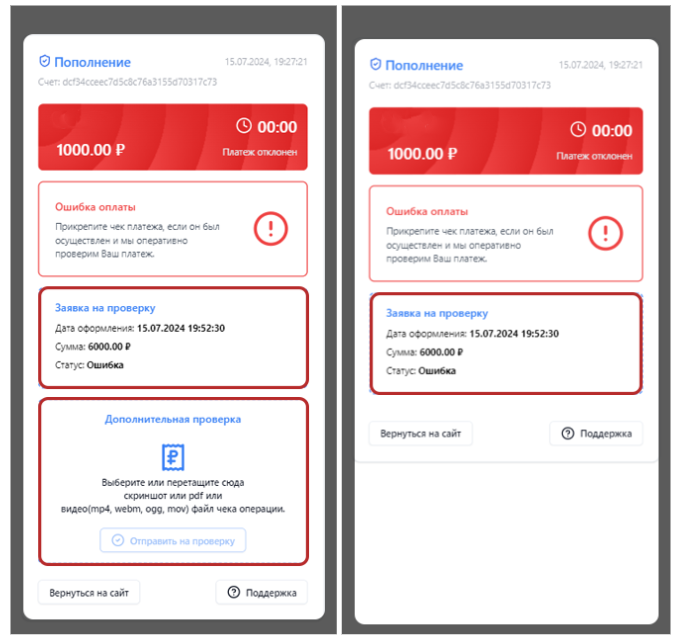
If we need any additional information, screenshots, videos, or statements, we’ll request them directly on the website 🔔
🔍Please check your notifications carefully. They explain in detail what we need or give you the current verdict on your payment verification. 🙂
💡 Tip
We’ve prepared a helpful article for you:
If you have any questions or need more information, please don’t hesitate to contact our support team.
We’re always happy to help!