

If you want to temporarily restrict access to your account, you can use the self-exclusion feature. This will help you take a break and return to playing whenever you feel ready.
How do I request self-exclusion?
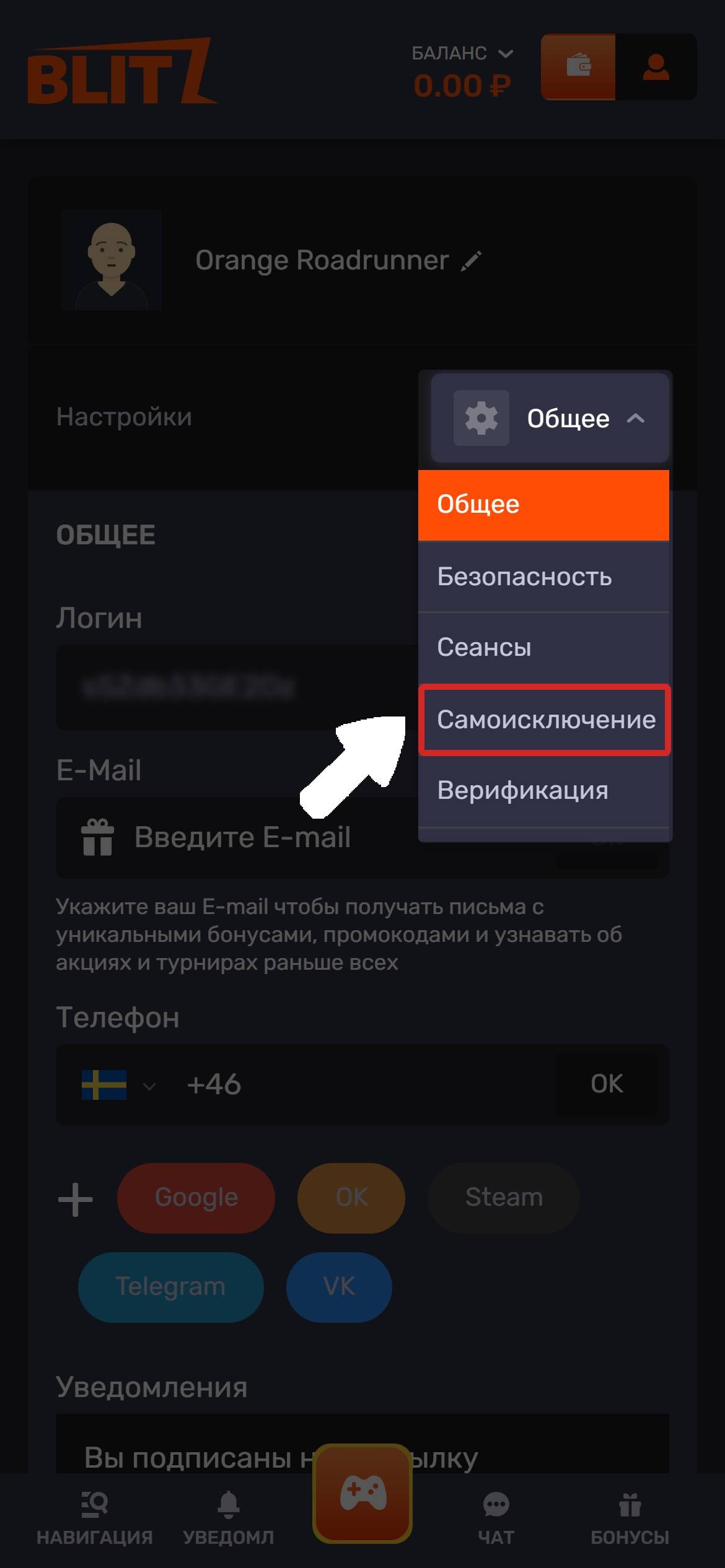
Go to your account settings on the website.
Select the Self-Exclusion section.
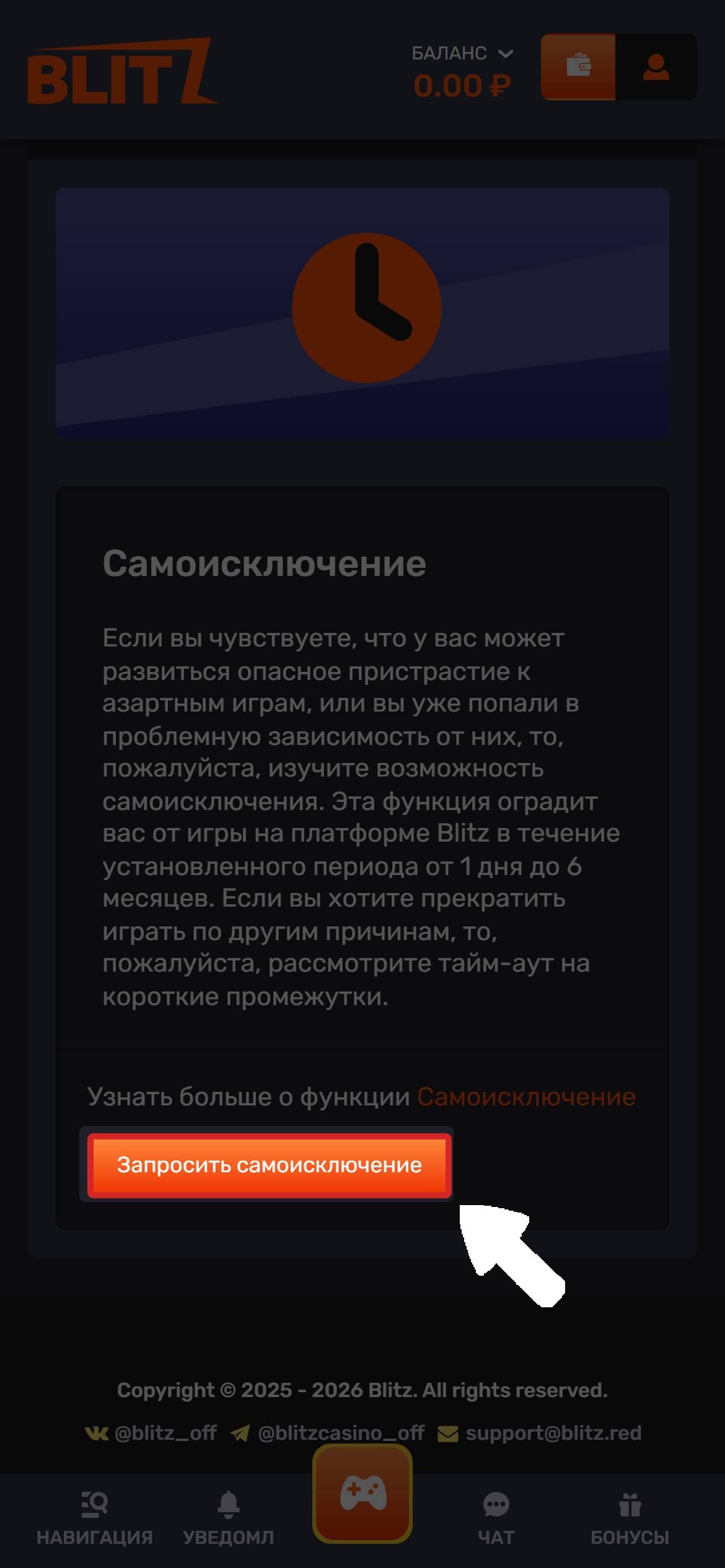
Click the Request Self-Exclusion button.
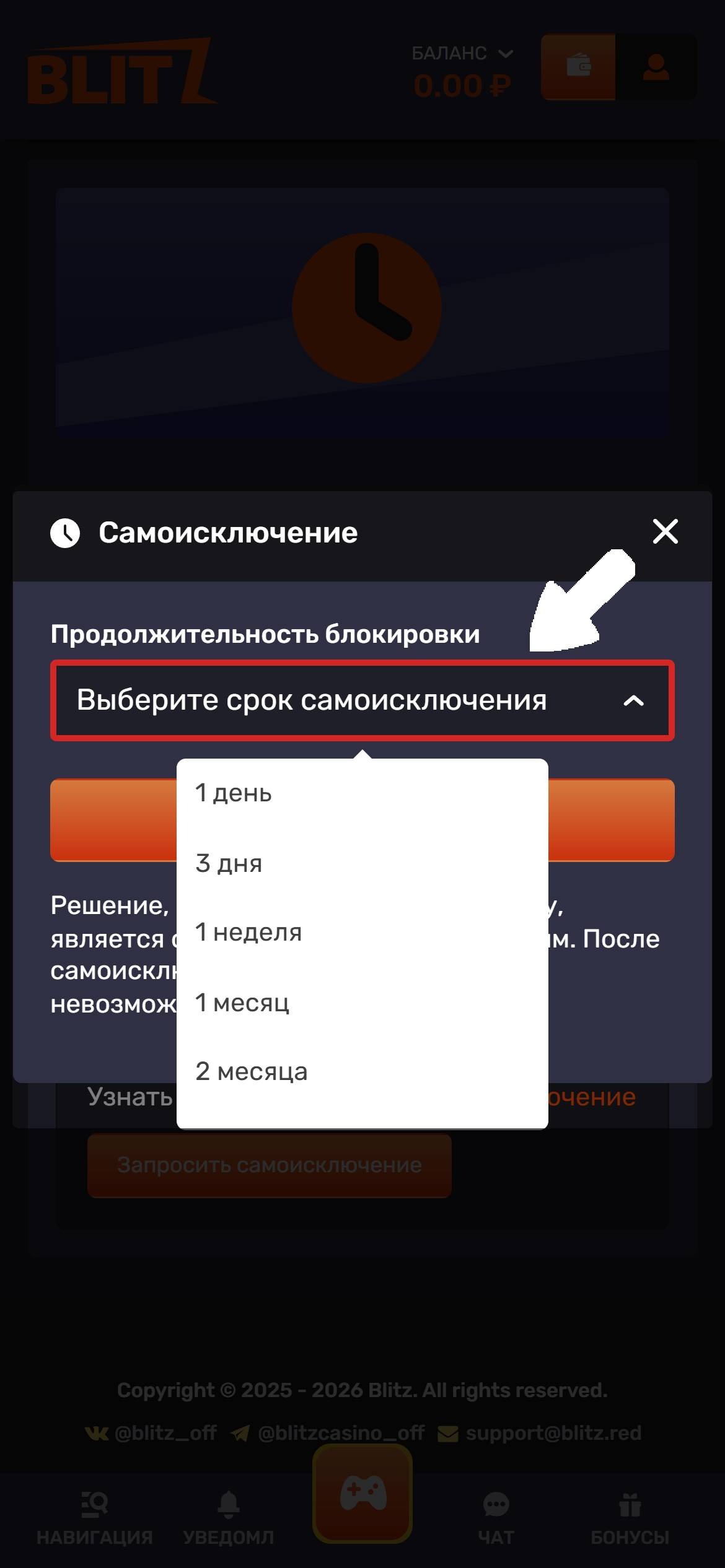
Choose the self-exclusion period—from 1 day to 6 months.
Click Next, then Submit.
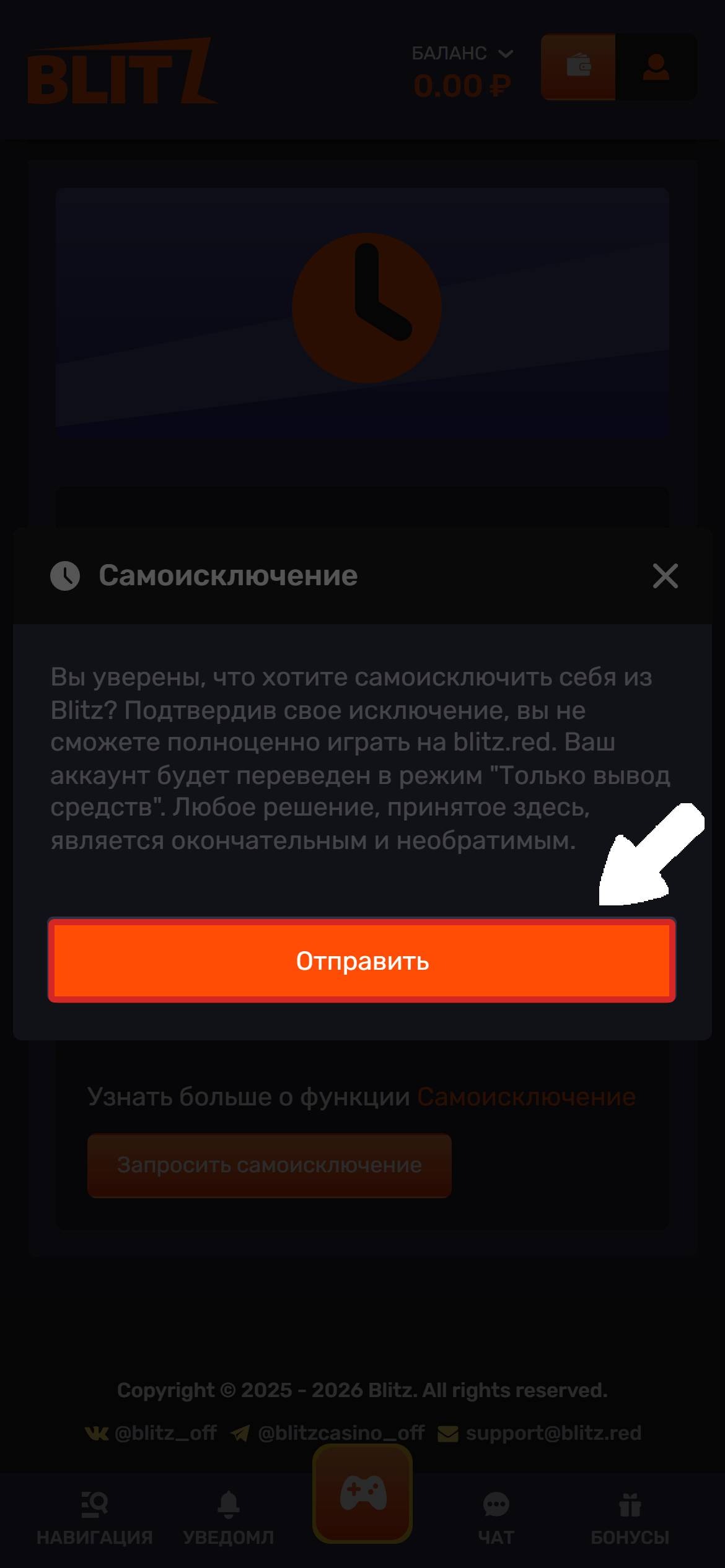
Once confirmed, your account will be blocked for the selected period.
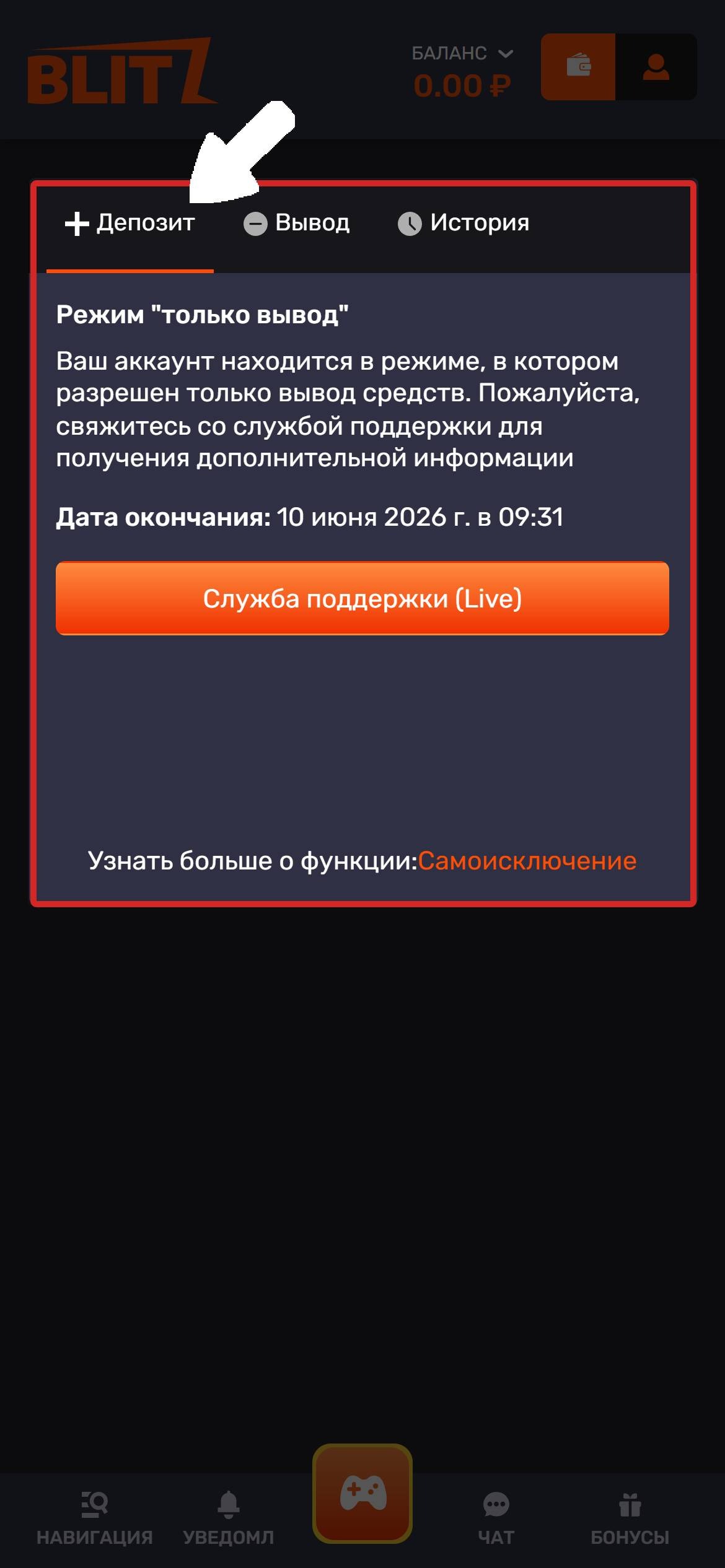
Once you confirm your self-exclusion, you will no longer be able to play as usual. Your account will be switched to "Withdrawals Only" mode.
What happens when the period ends?
Once the self-exclusion period ends, access to your account will be automatically restored. If you want to restrict access again, you can request self-exclusion once more.
If you have any further questions, please contact our support team. We’re always ready to help!
💡 Tip
If you have any questions or need more information, please don’t hesitate to contact our support team.
We’re always happy to help!