

For this guide, we used the following exchange service:
How to quickly buy or exchange cryptocurrency for rubles using the Metka.cc exchange service
For easy navigation, simply click the section of the article you need:
Registering with the exchange service
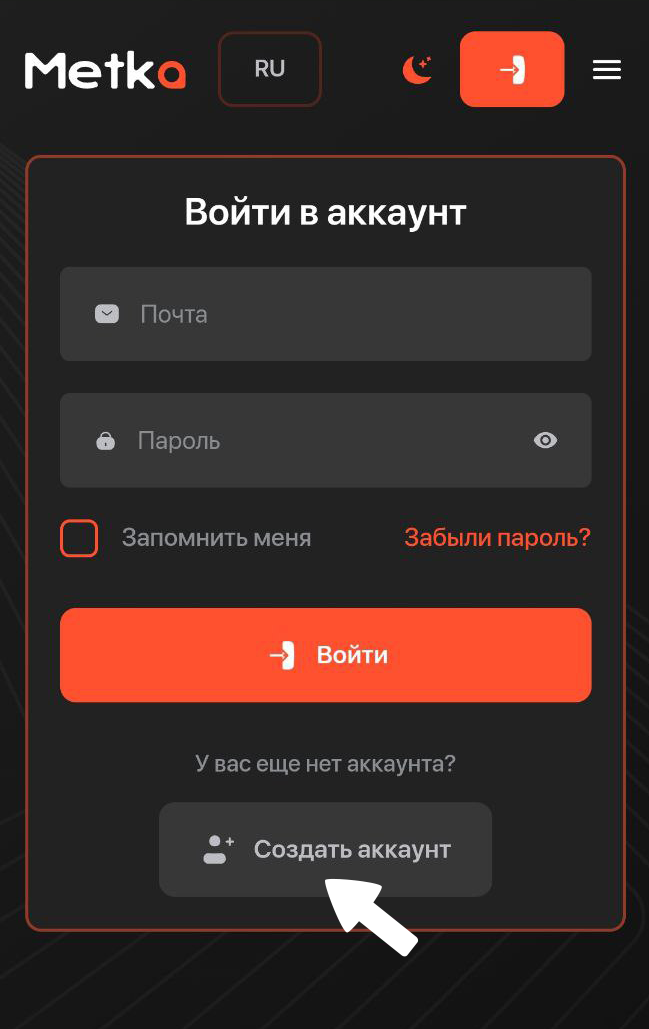
1. Select Create Account
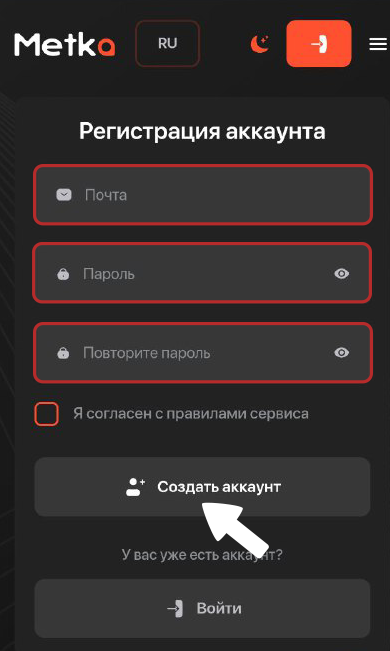
2. Fill in the highlighted fields and click Create Account
Buying cryptocurrency
Go to the exchange service and select the currency that suits you
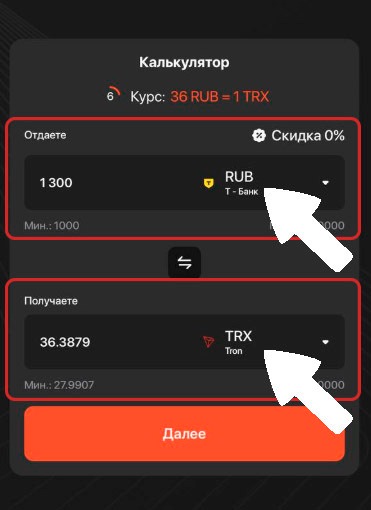
💡You give - select the bank you want to use for the transfer
You receive - select the cryptocurrency you want to receive
(Minimum exchange amount: ≈ $12 (1,000 ₽)).
2. After selecting the bank, cryptocurrency, and amount you want to pay, enter your details
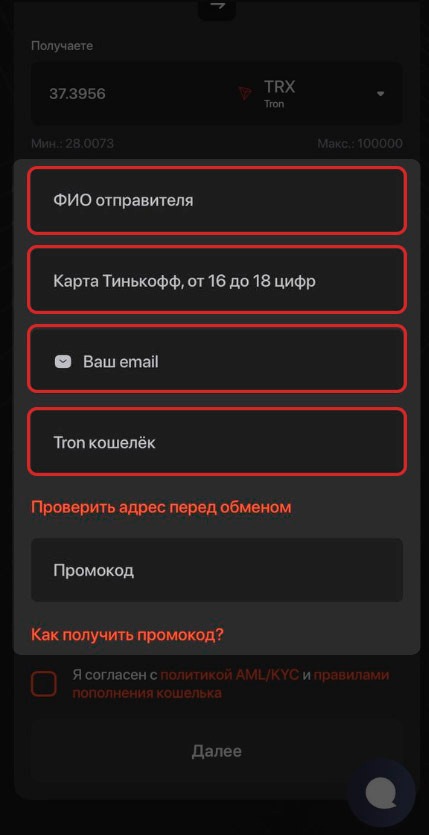
Make sure the sender details are correct!
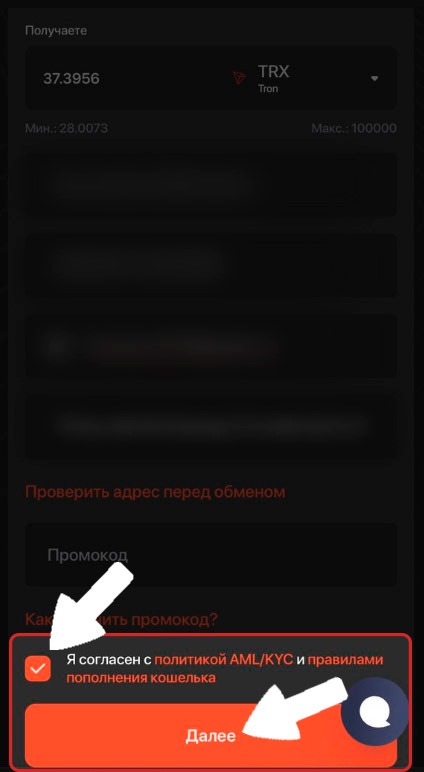
3. After entering all the details, agree to the AML/KYC policy and click “Next”
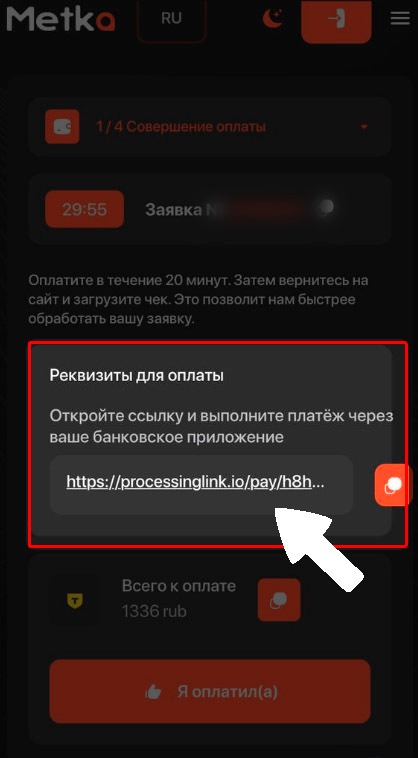
4. Then go to the order and open the link with the payment details
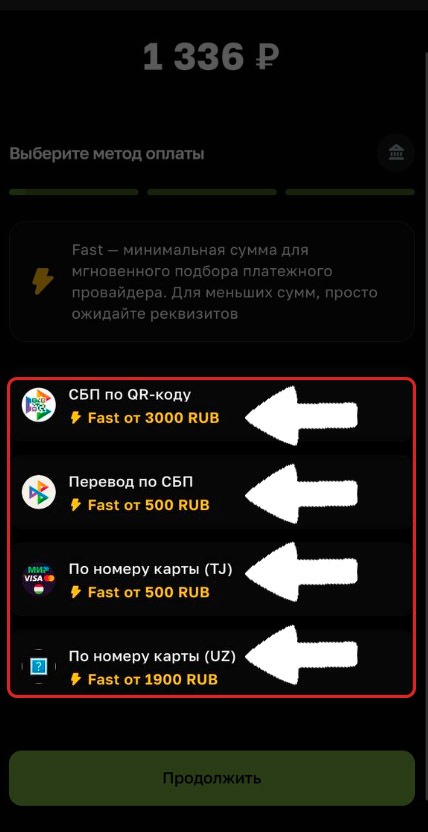
5. On the payment details page, select the payment method that works best for you
6. Once you receive the payment details, transfer the funds
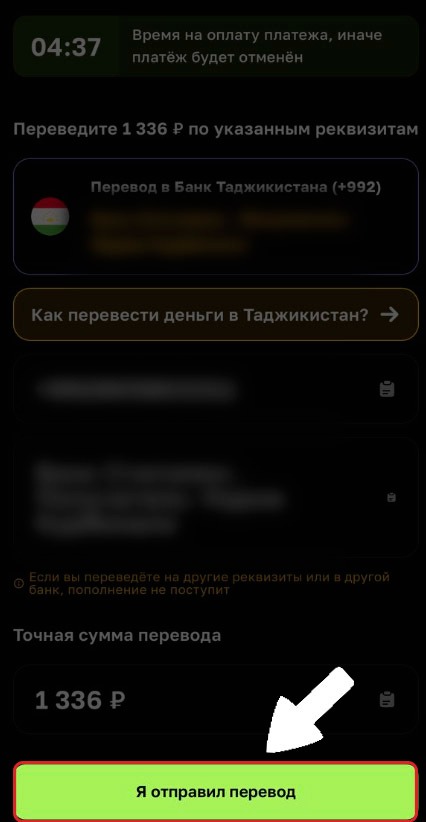
Make sure to transfer the funds to the correct bank using the correct payment details
7. After making the payment, click “I have sent the transfer” and attach the receipt
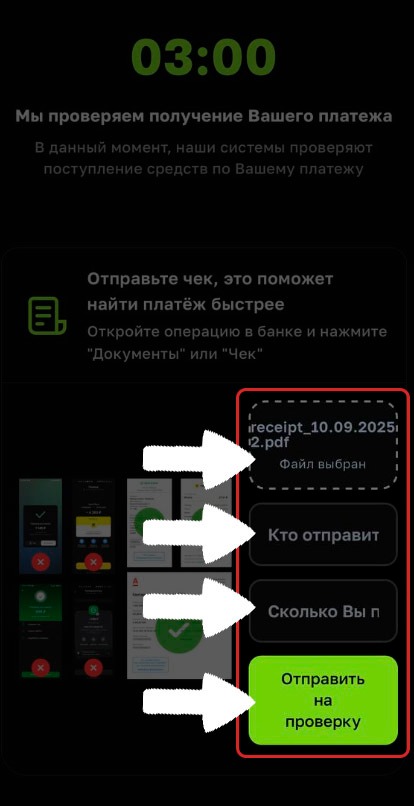
You also need to enter the sender’s name (as shown on the receipt) and the transfer amount, then click “Submit for review”.
8. Once the payment has been located, return to the order page
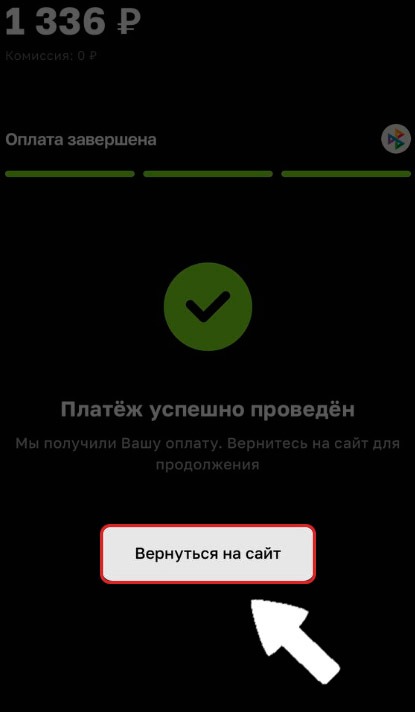
Our payment has been confirmed. We’re waiting for the cryptocurrency to be credited to our wallet.
9. In 5 minutes, the cryptocurrency is already in our wallet
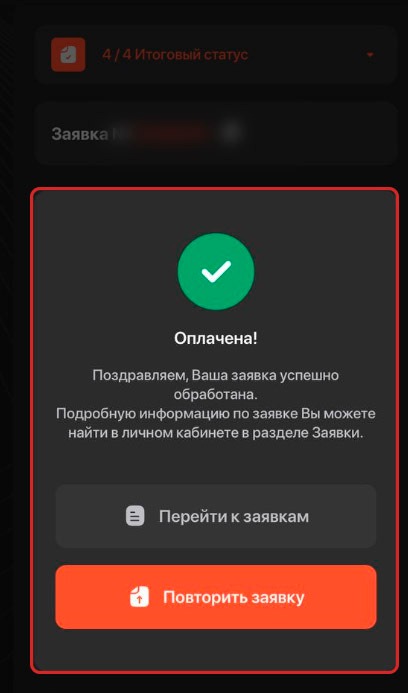
Withdrawing cryptocurrency to rubles
1. To withdraw cryptocurrency, enter the amount and select a withdrawal method
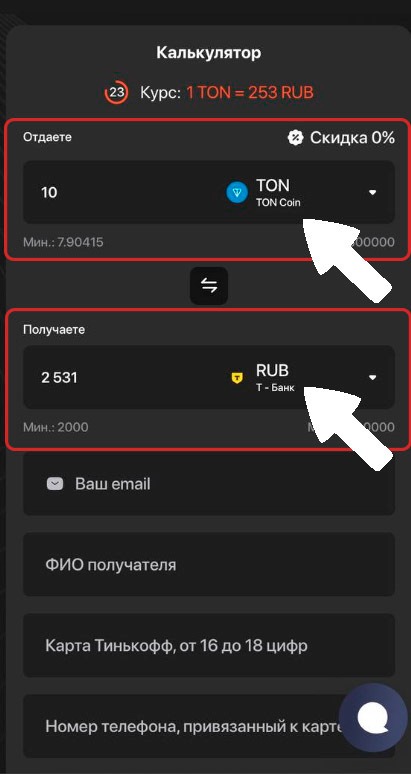
💡You give - the cryptocurrency you want to exchange
You receive - fiat funds
You also need to select a bank that works for you. (Minimum withdrawal amount: ≈ $24 (2,000 ₽))
2. After entering all the details, agree to the AML/KYC policy and click “Next”.
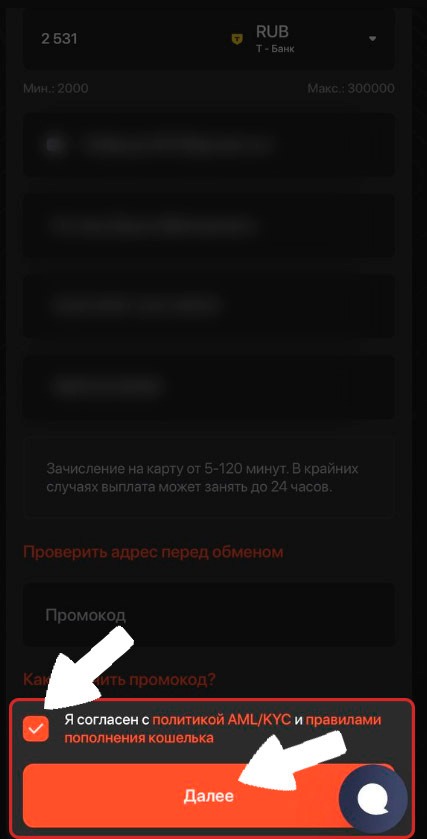
3. Transfer the funds only to the specified wallet using the network selected earlier. After making the payment, click “I have paid”
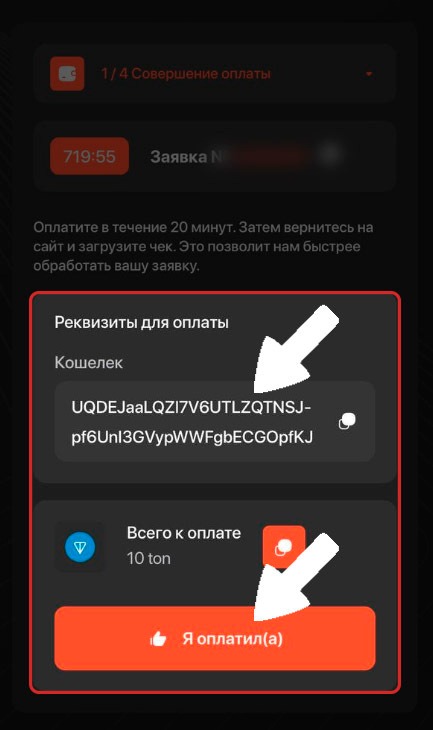
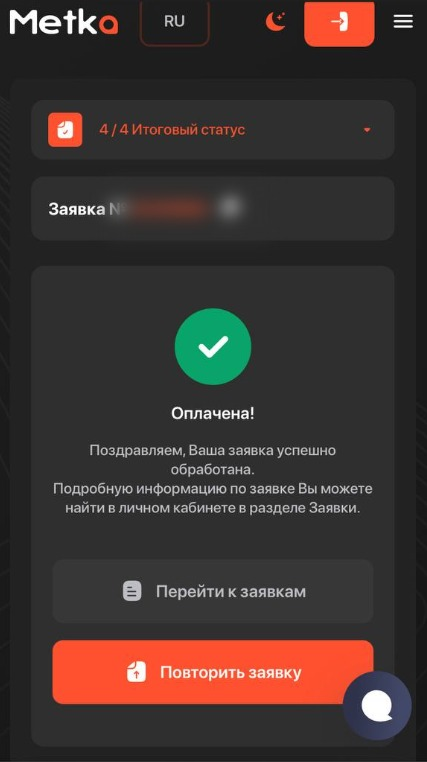
4. In a little while, the funds will be on our card.
💡 Tip
If you have any questions or need additional information, please don't hesitate to contact our support team.
We're always happy to help!