

If you have any questions or problems using FreeKassa, follow these instructions to contact support and get help.
Step 1: Go to the FreeKassa website
Open your web browser.
Enter the FreeKassa support address in the address bar (you can ask us for it in the support chat on our website).
Important! You must contact support via the website. Support on Telegram does not handle these deposits.
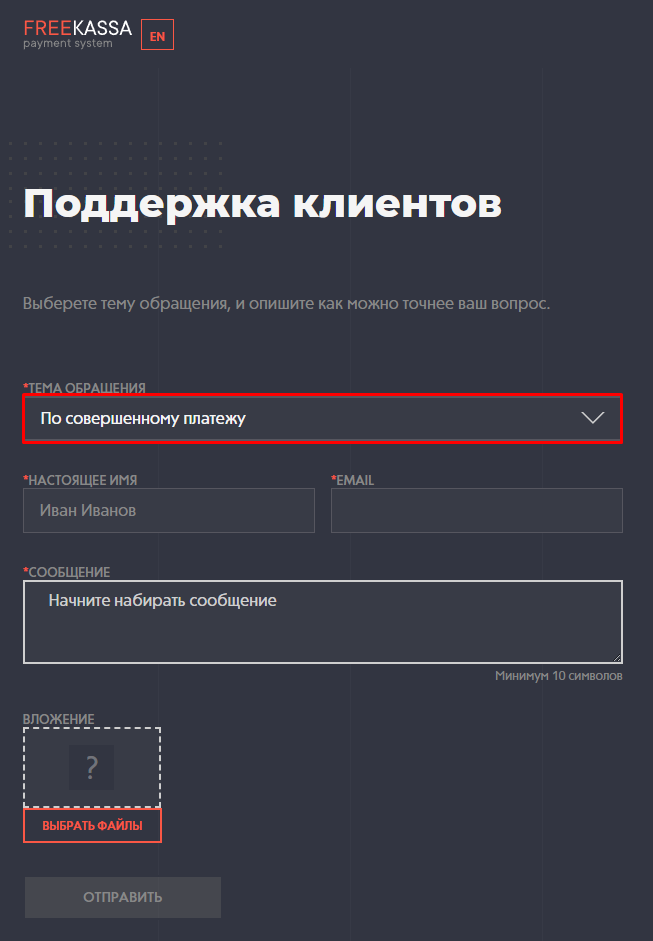
Step 2: Select the topic “Regarding a completed payment”.
Fill in all required fields*
Be sure to provide your email address; the reply will be sent there.
Step 3: Submit the receipt generated on the FK Wallet website with your inquiry.
You can include the OrderID in the description; you can get it from support on our website.
Note
Website registration: You usually don't need to register to contact FreeKassa support. You can receive a reply at the email address you provide.
Response time: Please allow the stated amount of time to receive a reply. If you haven't received a reply within 48 hours, try contacting support again or check your email's “Spam” folder.
💡 Tip
We've prepared a helpful article for you:
If you have any questions or need more information, please don't hesitate to contact our support team.
We're always happy to help!