

You can find promo codes on our official Telegram channel: @friends_casino_off
To activate a promo code, visit the official website Friends
Once you’ve got a promo code from our Telegram channel and visited the website, open your profile and select the “Promo Code” tab.
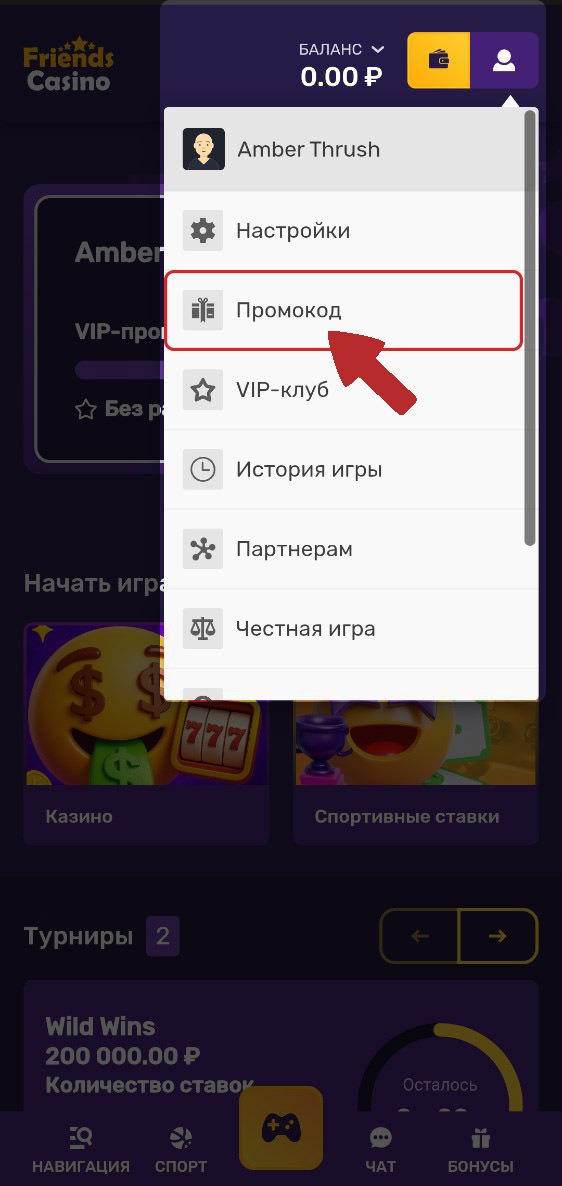
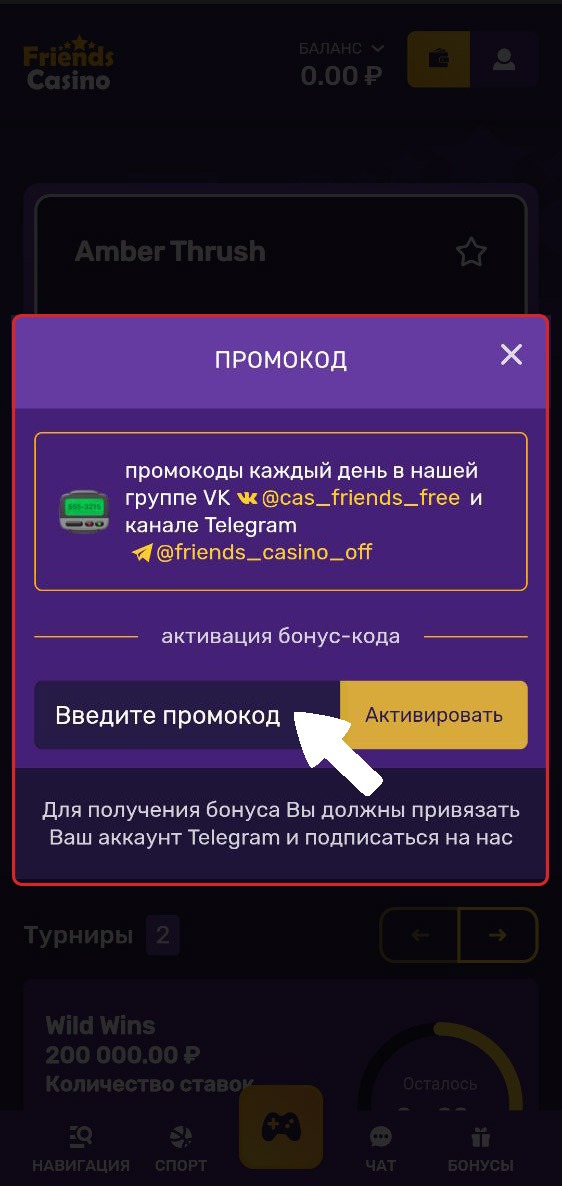
3. Click to open the promo code field. Enter your code, click “Activate,” and start playing!
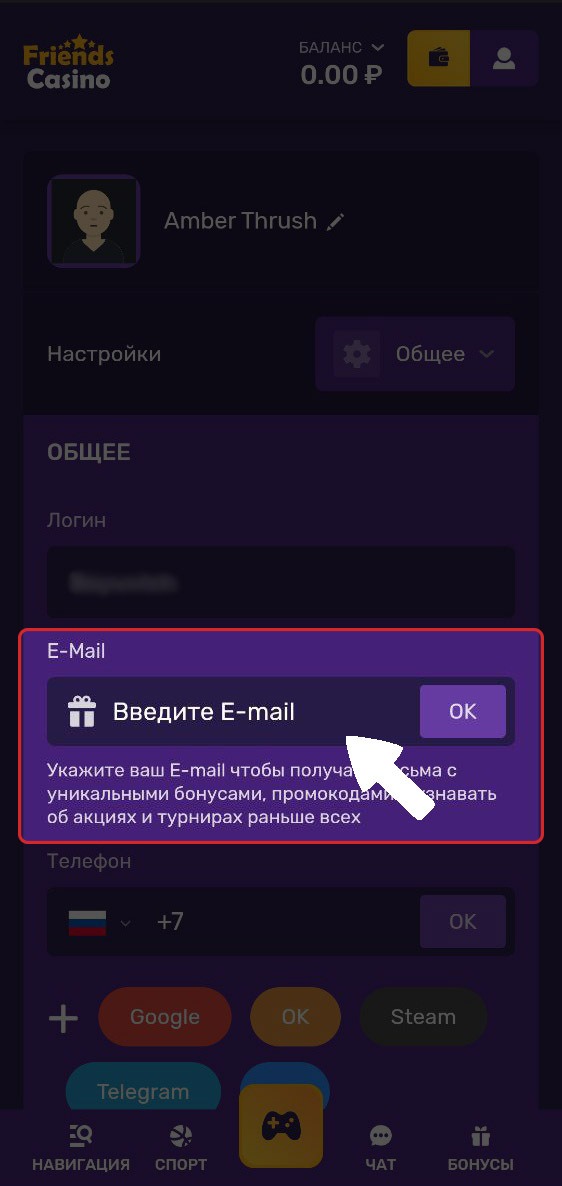
Promo codes are also sent by email.
To receive the latest promo codes by email, subscribe to our newsletter. You can do this in your profile settings. Once subscribed, you’ll receive:
Exclusive promo codes for subscribers
Promotions
Notifications about new offers
Promo codes via WhatsApp and SMS
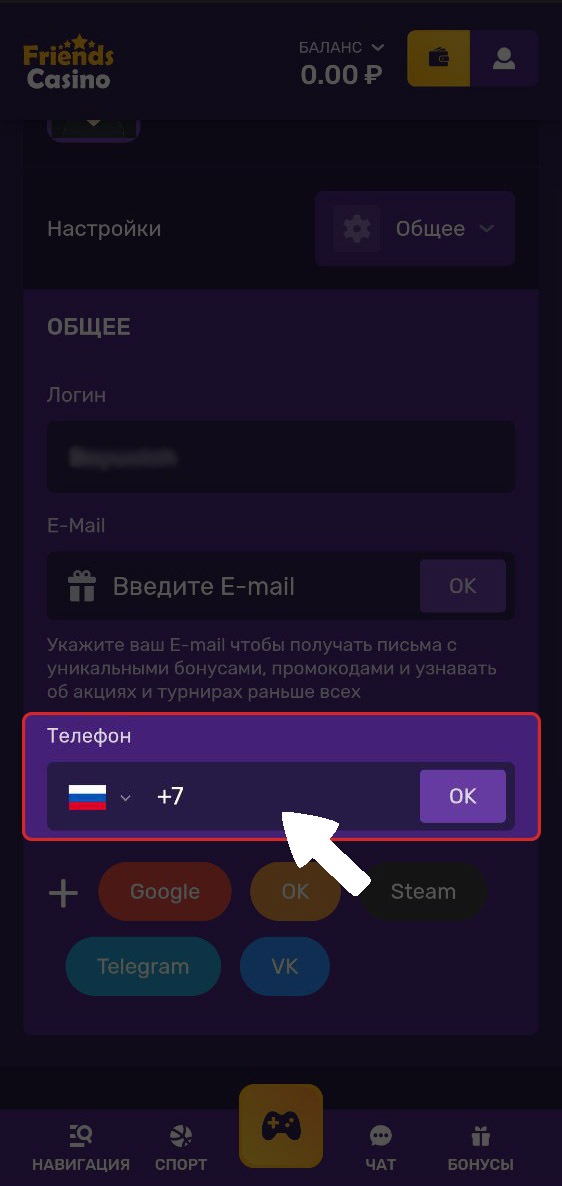
You can also receive promo codes via messaging apps and SMS. To do this:
Enter your phone number in your profile settings
Verify it with a code
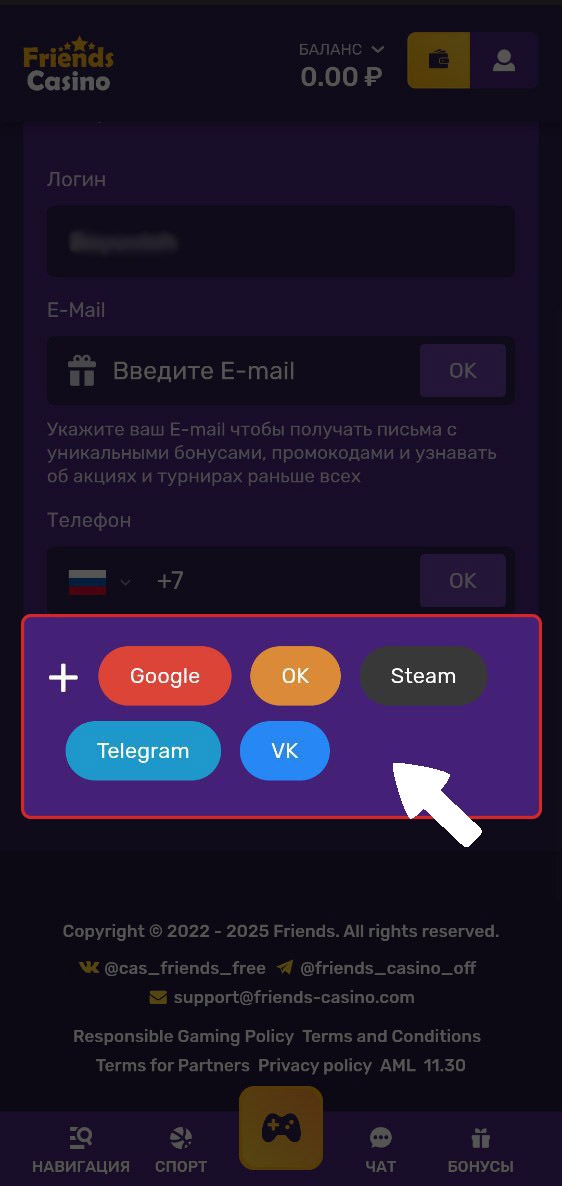
Linking Telegram to activate promo codes
To activate a promo code, you need to link your Telegram account to your profile. It’s easy:
Go to your profile settings
Click the “Link Telegram” button
Follow the instructions in our bot
💡 Tip
We’ve prepared a helpful article for you:
If you have any questions or need more information, please don’t hesitate to contact our support team.
We’re always happy to help!